DAVID LAPOSI / CAMERA RESEARCH
Different sensors.
A common starting point.
The story, method, and published results of the 18-camera test. The full study, translated from the Hungarian original, with photographs, camera-by-camera comparisons, and source files.
Reader's version of the original study. Camera data and technical findings reflect the time the test was made; camera notes made with AI are included in a separate appendix.
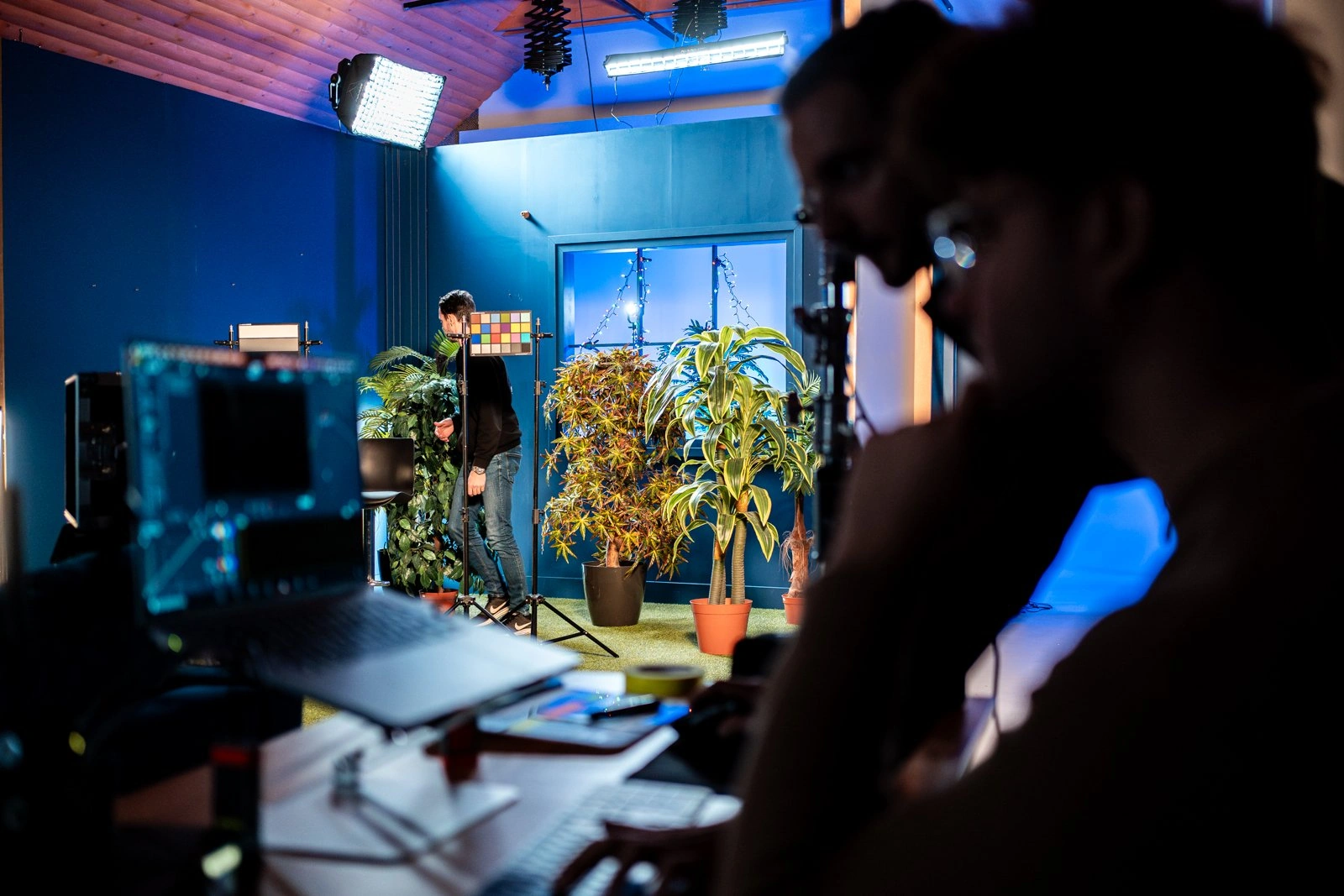
01 / THE QUESTION
What happens when knowledge comes to the fore?
In recent years, I have been thinking a lot about how people's minds could be put in order, because the consumer/prosumer market uses all the tools of capitalism to try to make us believe that what we have in our hands now is bad, and if we buy this more expensive tool, we can be much better. This is the case in IT, in the tech market, and in this case also in relation to cameras, as this test also reveals. Myself and I figured out that we will provide some kind of proof that it doesn't matter what kind of tool you have in your hand, if you are involved in filmmaking, since the most important thing is to use these tools properly so that the end result is as close as possible to what we want to create. This test will talk about the technical implementation and possibilities of the philosophical foundations of this.
The question is valid: What does this test consist of?
We compare 18 camera sensors of different types, brands and sensor sizes - of course there are overlaps here - but with similar attributes, which prove that with the right math, the right preparation and the right use, the images of the cameras can be transformed/graded to be the same or very similar, even so that achieving a 100% match is theoretically possible, but practically impossible. As long as we are talking about the digital representation of analog perception, this objective can be drowned in meaninglessness, since no one person perceives lights and colors in the same way, only similarly.
This is not another "professional" camera test.
We don't want to do another "professional" camera test, which is about comparing the best devices on the market, such as ARRI, Sony, or, as the case may be, RED, since these are much more difficult to obtain on a wider scale. So we took it as a basis that we want to investigate prosumer devices that have the same goal: converting light into electrical stimuli and then digitally processing these values. We try to use all cameras in such a way that there is as little difference as possible between the spectrum coming from the object and the sensor.
What does this mean in practice? We always used the same optics, with constant lighting. We used the camera as much as possible according to the default factory settings, but at the same time in the best possible mode - if it was able to record in RAW, then in this way, otherwise we used a logarithmic curve combined with the largest possible color space, with the least compressed codec known to the camera, and with the widest sensor reading.
From a lighting point of view, our camera test is an indoor camera test: we tried to create situations that are much more similar to indoor events, yet still able to show the RGB spectrum. We lit with 3200 Kelvin, as the camera sensor is much less sensitive to that than white light with a value of 5600 Kelvin. We used professional lamps to eliminate incomplete spectrum or heating errors.
Although the white balance setting is only metadata when recording a raw camera image, in this case too we tried to pay attention to the precise, manual setting of the color temperature, avoiding the use of auto white balance.
The exact settings can be found in the description of the given camera.
During the camera test, we filmed according to the European PAL standard with 25 frames.
Considering the response of the human eye, the shutter settings were in most cases the same as the shutter angle of 180 degrees, i.e. we used a shutter speed of 1/50. This is twice the recorded fps value.
We deviated from this only in very few cases.
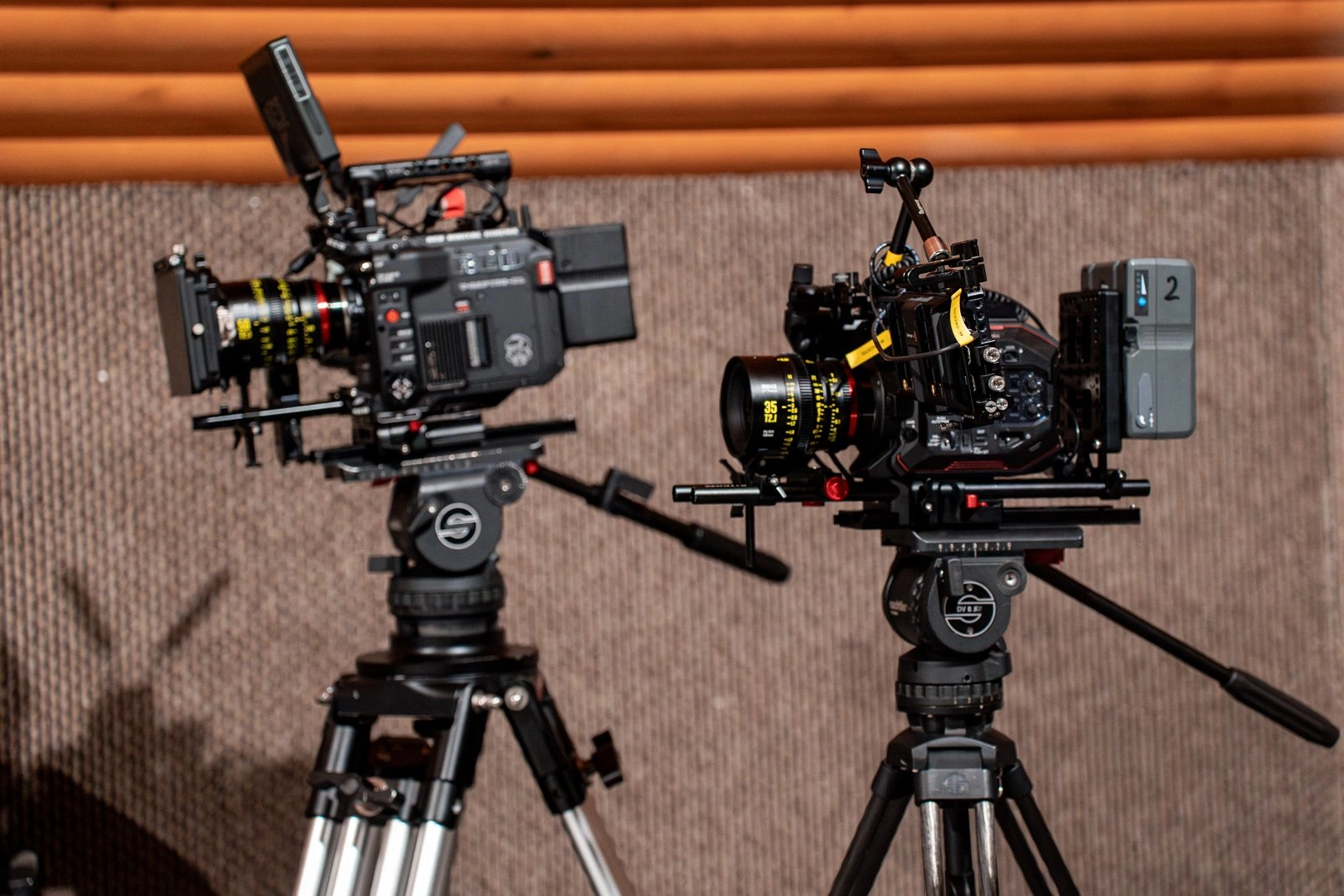
02 / EXPOSURE
First, a common starting point.
ISO, ASA, EI, GAIN, sensitivity?
ISO is the setting of the sensor's sensitivity, which affects the dynamic range and also the distribution of stops relative to mid-gray. In all cases, we left this at the basic BASE ISO, that is, we used the first step of each camera - also in the case that we can talk about DUAL NATIVE ISO. Certain camera vendors can lose dynamic range at the second stage - we wanted to avoid this - so we always worked with the manufacturer's recommendation.
The basic distribution of specific brands can vary from camera to camera, so the contrast ratio requires a unique judgment for each device. Unification of this was not possible due to the lack of resource and dynamic tests, but its replacement is definitely among our plans in the future.
According to my personal experience, during my career so far, only one cameraman was aware of this
All this technical information does not basically belong to the knowledge of cinematography, since they do not influence the art of lighting. During my career, the importance of this is certainly represented by one cinematographer - he is Steve Yedlin, whose work inspired both Levi and me, and is one of the main cornerstones of the direction of investigation of our camera test. You can read more about his views here.
Our reference was a Red V-Raptor XL 8K camera, which we treated during the test in exactly the same way as the other cameras. Different camera manufacturers use their own logarithmic curve and gamut. The whitepaper contains the exact math that can be used to decode the entire data set into linear values, as well as a 3x3 matrix that takes us to the CIE 1931 XYZ Colorspace. From here on, we get a common starting point from which we got to the scene of our display, so we get the same reproduction for the different cameras.
During the camera test, we targeted one of the most popular SDR industry standards, Rec. 709 gamma 2.4, taking into account that different cameras can record a larger dynamic range and color volume than our display can display. Thus, these values are professionally mapped to the limitations of our monitor, so that we do not get dynamic or color clipping.
It is important to note that in all cases we exposed to medium gray with 18% reflectance.
To determine the exposure of a photograph, Kodak recommends placing the gray card as close to the subject as possible, or pointing the card surface at one-third of the composite angle between the camera and the main light, and measuring this with a light meter from a distance of about 15 cm. We approached this by transmitting the live image of the camera to our Macbook using a Black Magic Recorder card, and then using the live function of Davinci Resolve to measure the brightness of the adhered gray card. If this did not match the encoded middle gray value of the given logarithmic space, we controlled the amount of light entering the lens with a Tiffen Variable ND filter, until we got a correctly exposed middle gray. The values transcoded into logarithmic space and then normalized were borrowed from the calculations of Cullen Kelly.
Győző Czettele, owner of Czettele Rental. https://www.facebook.com/czettelerental
Middle gray plays a huge role in recording, manipulating and finally reproducing images. The industry has come to a convention that this value should be 0.18% in the real world, where light propagates linearly. This gives the impression of a medium exposure, as this value is roughly halfway between black and white. As we move between different Tonus curves, this value is constantly changing during image processing. The goal is to display mid-gray at roughly 10% of the peak luminance density in render state. This is a professional agreement, not a value set in stone.
03 / IMAGE PROCESSING
From difference to agreement.
Hogy is van ez a Davinci Resolve-ban?
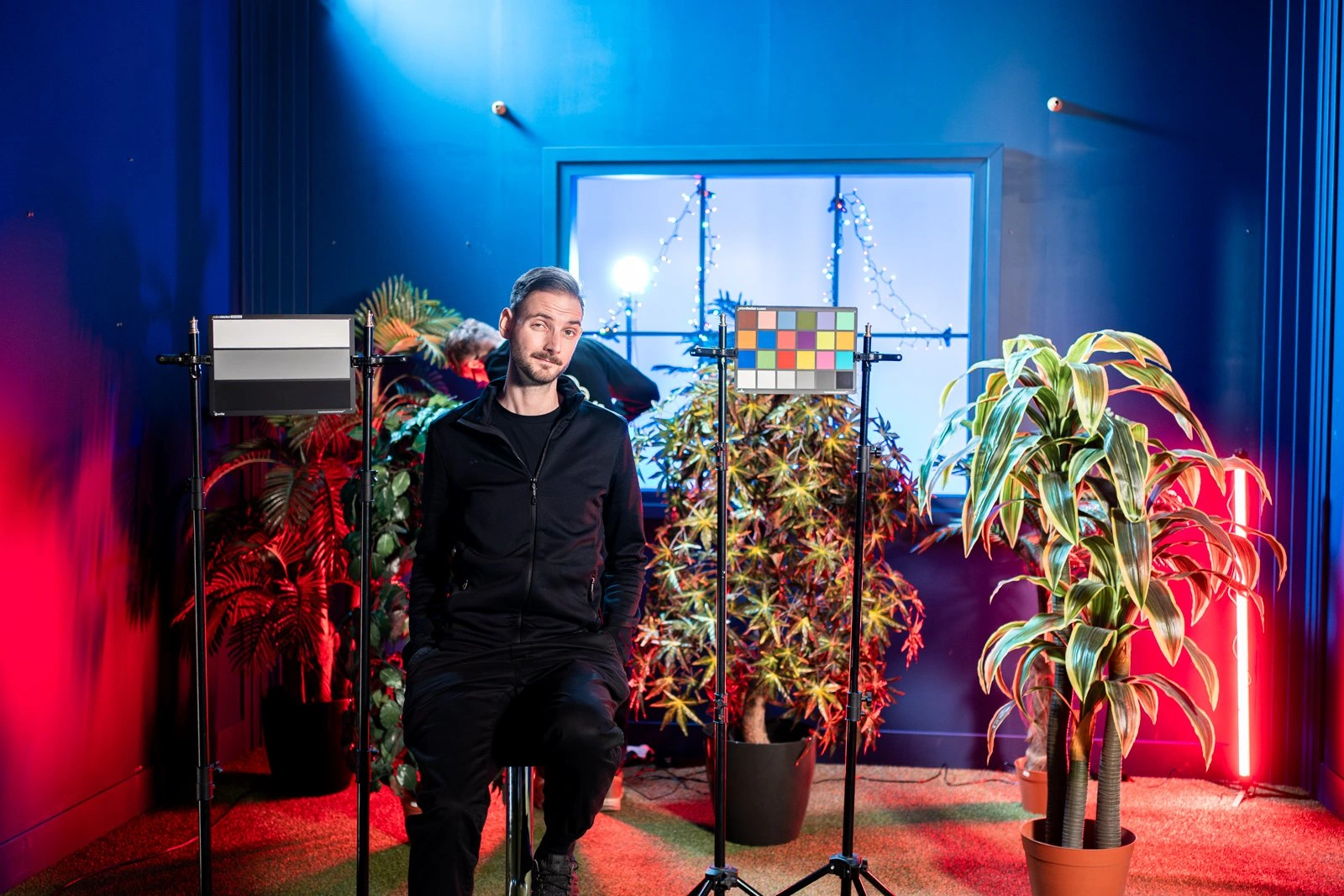
The Color Matching process was carried out in a so-called "intermediate" or Working Colorspace. In this case, it was the Davinci Widegamut Intermediate. Thus, the behavior of the tools was the same, regardless of which camera image the modifications were made on. The first and most important step was to compare the values of the ColorChecker® Classic displayed in the set with the reference values of the table, and then use Davinci Resolve's built-in Color Match tool to match the colors and tones of the image to the reference values. Of course, there are more accurate charts, but they are not widely available and the prices are much more expensive. We wanted to keep the entire production grounded in reality.
It is a very important principle that we do not use secondary devices in the Color Matching process, which means that actually
we remove the presence of the colorist from the whole project as a creative person.
We rely only on mathematics, in which there were minimal differences, since the color chart contains relatively few sample colors, and the intermediate values have to be calculated by the program by interpolation, which is roughly an estimate. Furthermore, it is a very important experience that the mathematical operation of the color chart within Resolve is currently a black hole, neither the manual nor the internet describes the mathematics with which this tool works, even though it induces serious changes, and also performs gamut and gamma transformations. During the process, we often engaged in longer discussions on both a theoretical and rational level regarding the use of the device.
In the end, this tool is even available in the free Resolve, so the basic principle of the camera test, that "we cook with what we have", won again so that you can achieve results with available solutions.
We try to remedy these differences with a wide range of tools that the camera basically has, or each program has its own solution for these tasks. We do not use secondary/secondary grades, we avoided masking, keying, or the use of effects that would have made local and not global changes to the images.
Our goal is still not to achieve a perfect match between cameras, as this is extremely rare in practice when we are talking about devices of different brands and using primary devices.
Achieving a 100% match would require cameras of the same brand, sensor, color science, optics, subject distance, depth of field, as well as a number of physical and technical conditions, which - apart from the same sensor - rarely occur in reality. That would not be a realistic goal. If this could be solved in this way, there would be no need for the presence of DIT in the set, and there would be no need for color correction, only creative post-production. Nevertheless, our Sony lineup, which examines 6 cameras, shows very well that this can also be easily combined, in the case of almost identical devices. I swear, I'm looking for a scientific paper on whether identical twins see the same way, 🙂 but as I see it, even they don't.
Let's talk a little about Resolve, the questions, pitfalls, and problems that arise.
During our camera test, we encountered a number of challenges and technical difficulties, centered on the different image quality and color management offered by different cameras. Based on the comparison between the RED V Raptor XL 8K and its peers, it became necessary to fine-tune the lutes (Look-Up Tables) several times. This was mainly because the capture/handling of certain parts of color and dynamic range between different devices can differ significantly, especially for supersaturated colors and high dynamic range details.
https://mononodes.com/why-i-build-luts/
The use of simpler, cheap LED lighting fixtures in the background - on purpose - further complicated the situation, as their spectrum was extremely "spiky", which posed challenges in accurately setting the colors and preserving the image quality. The logarithmic curves of the different cameras and the unique recording of the dynamic ranges of the camera produced different results, which sometimes led to tearing and unexpected artifacts. These differences were especially important when comparing the capabilities of high-end cameras to lower-end cameras such as the Blackmagic Pocket 4K or the Sony A6400.
Another problem arose during the manipulation of the lutes: when unifying the images of the cameras, the colors were often changed, which could worsen the uniformity of the images and the quality of the matches. These problems can be solved immediately with secondary modifications, but the problem had to be solved deliberately with primary means. Certain logarithmic spatial settings were less suitable for translation into larger color spaces, such as Panasonic's V-log, or Blackmagic's 4th generation Color Science versus 5th generation. In particular, problems arising during RAW reading, such as repeatedly cutting out supersaturated colors - especially red - when scaling up the gamut presented us with additional challenges. We tried to remedy these errors by processing the Blackmagic RAW materials according to the RED IPP 2 pipeline, which, however, limited the usable LUTs and grading options in various software. So, although the problem can still be solved in this way, we had to abandon such high-level manipulations due to usability. A deeper understanding of these problems and examination of the results reveals the real difference when we switch between scene referred and display referred solutions or vary our wokflow.
The correct recording of the different chroma and luma values is crucial in the LOG dynamics, - as we wrote earlier in the middle gray - because during the transformation process, these parameters determine how close the different spectra are to each other in the final result, since the LOG is not linear.
The biggest headache was caused by Resolve's Chart Matching function.
Unfortunately, the operation of this is not defined by BlackMagic, but by projecting its manipulation onto a uniform 3D cube with the help of a LUT, we can see quite an interesting pixel transformation. Although it's also important to note that this is an interpolated look. What does this 3D hexahedron represent? It doesn't represent any real-world object, image, or scene, it's just an abstraction to see how certain transformations can affect an imaginary idealized set of values. As you can see, these values are quite band-mutilated by the manipulation created by Color Chart. This could conceivably cause problems with certain two-dimensional real-world images, but we did not encounter such problems in our test images. We hope that BlackMagic will develop the working algorithm of Chart Match soon. Below is a DRWG to DRWG creative film characteristic LUT developed by us, as well as 3 color match results, showing the theoretical difference between the two maths.
Általunk fejlesztett kreatív filmemuláció from DRWG to DRWG
Although these problems are not visually present, they highlight the limits of Resolve's thinking.
These limits can also be bypassed. This is also what Resolve Advanced is about. Without accurate exposure, material captured by different types of cameras can react significantly differently to color and dynamic transformations. This was particularly important for us, considering that the dynamic range of the cameras was not coordinated, taking into account the different technological features and capabilities.
It is important to emphasize again that although the deviations could be quickly corrected with secondary color operations, the use of these techniques is not part of the objectives of the test. Our goal was to demonstrate how precise mid-gray exposure affects image quality and dynamic range across different cameras, and how these differences can be addressed without the need for secondary interventions.
Although cameras are capable of recording high-quality images, without the use of lighting techniques and properly thought-out approaches, we can encounter serious limitations. These experiences also draw attention to the fact that in order to achieve creative goals, technical knowledge and an in-depth knowledge of the capabilities of different tools are essential. So we continue on the path to understand: Knowledge is power!
In the set design (low key), the proportion of red, green and blue (RGB) colors dominates the dark areas. The reason for this is that the dynamics of light conditions indoors are generally more limited than outdoors. The selection of color shades was aimed at demonstrating the color reproduction capabilities of different cameras. Due to the distribution of light sensors on sensors, cameras are particularly sensitive to green tints, as there are usually two green sensors, one red and one blue on the sensors.
04 / THE ENVIRONMENT
The same light. Different sensor.
Why 3200 Kelvin?
We placed the two Color Charts about one unit away from one of our main light sources, which was the previously mentioned 3200 Kelvin internal lighting. This decision simulated indoor lighting conditions. By setting the lights in the background to 5500K, we also examined the mixing of the lights, since in reality indoor lighting often consists of mixed light sources. We also use a cheap Christmas tree light in the background to demonstrate the color rendering capabilities of different cameras and the color shift between different light sources. The blue transition behind the window on a white wall shows how the differences between different bit depth recordings show up, illustrating the differences between 8-bit and higher bit depth recordings. These differences can increase significantly in the final 8-bit grading due to how far the image is from the original starting point.
It may seem trivial, but it is also important to point out that the raw materials were saved in an absolutely unprofessional way: we copied them to dual drives with Ctrl-C, Ctrl-V, thus giving the possibility of some data being lost while on the move, the chance of which is extremely small, but it can happen at the bit level. With this, we also wanted to examine the process that you can prevent with the free Clone Tool via, for example, DaVinci Resolve: the MD5Hash examination always checks whether the given data bit is exactly the same as the one copied by the program.
Thank you so much for reading this! We are planning to continue, so please don't be afraid to keep any professional or non-professional comments to yourself! We are open to all discourses, opinions, and possible objections. This article is constantly being updated and expanded.
We need you to be better! Comment, and we will constantly update the description with your comments!
05 / RESULTS
The picture should be the reference.
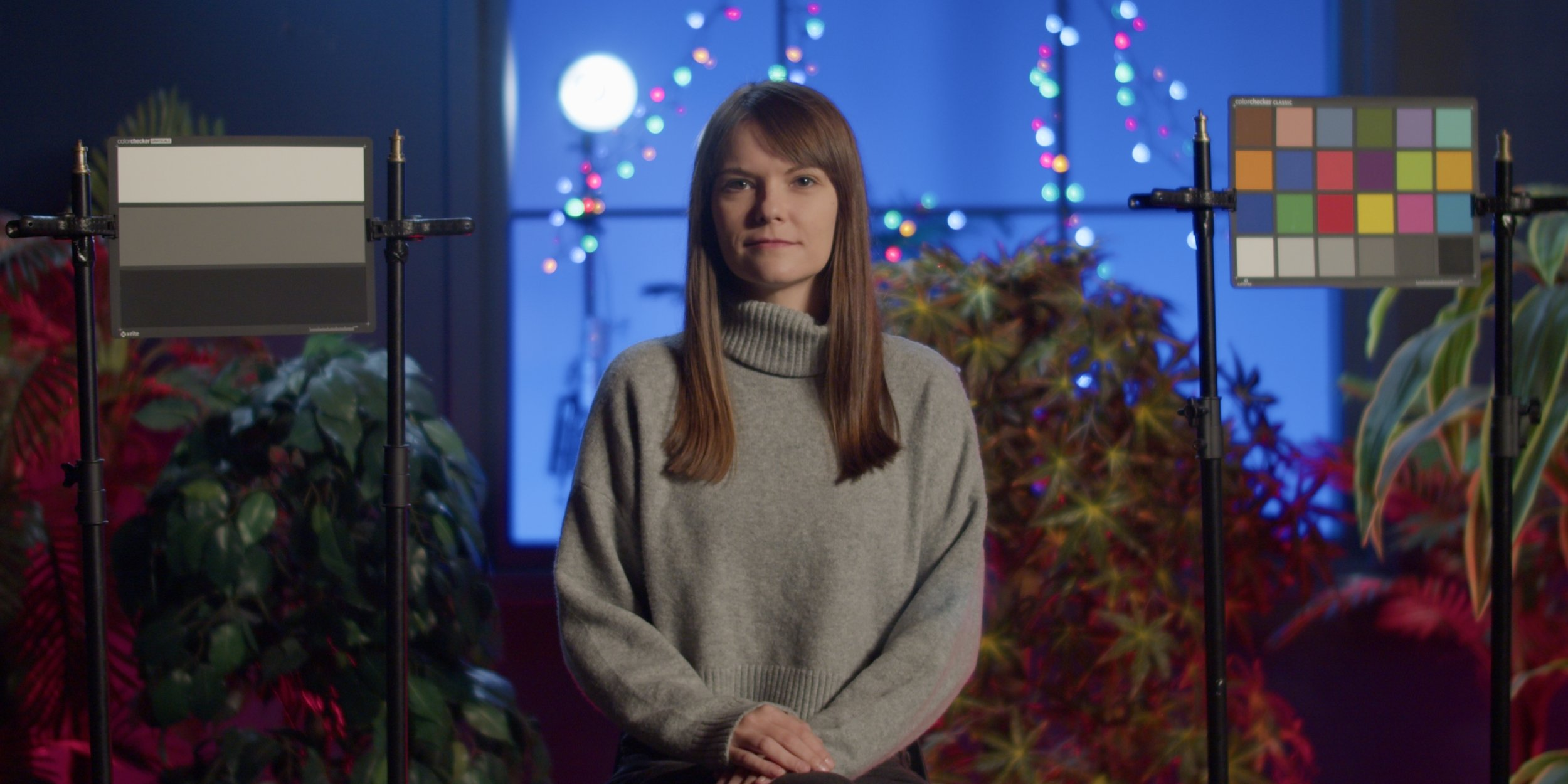
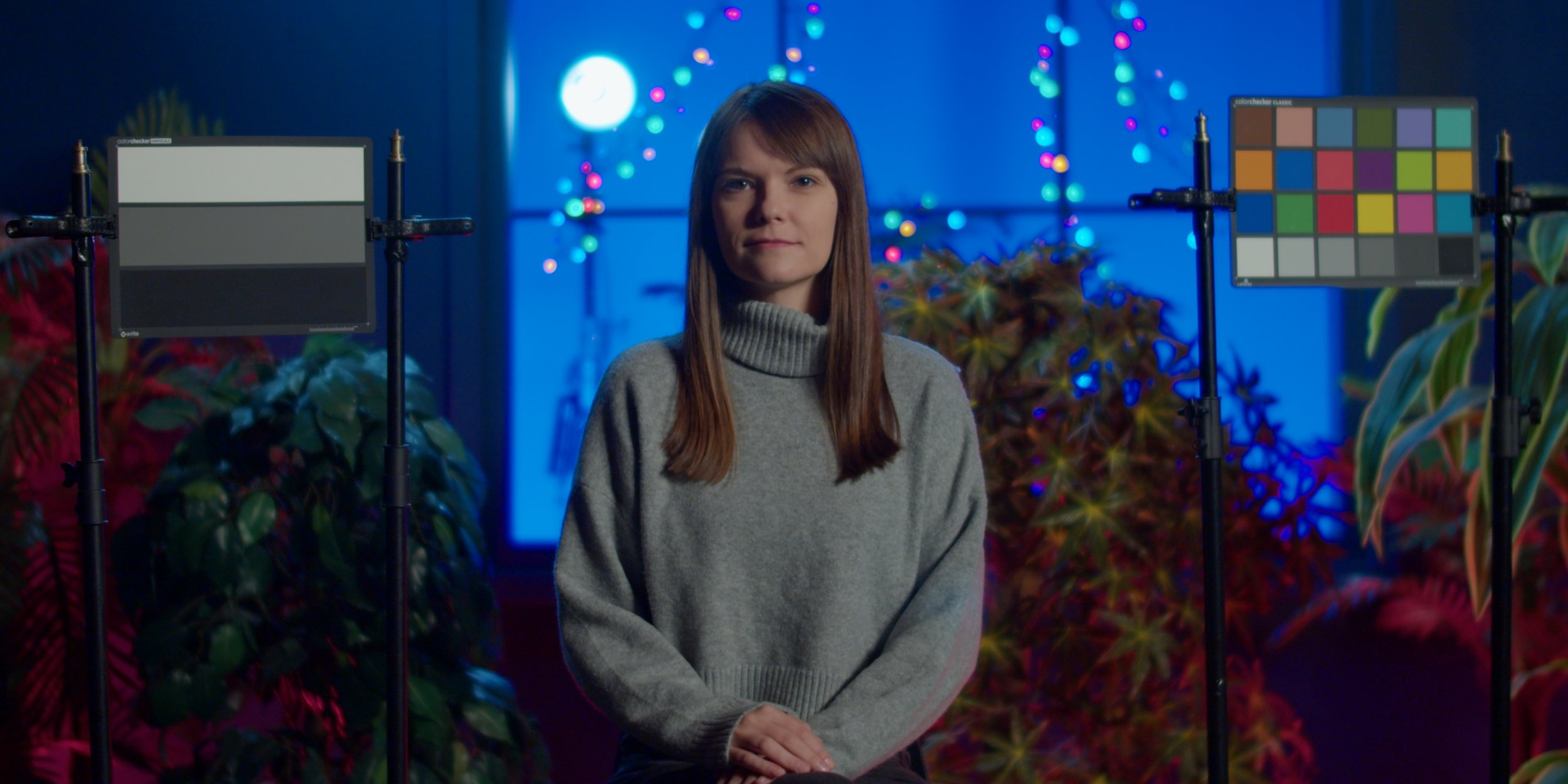
The reference is RED V-Raptor XL 8K. The pairs below show the published, normalized and matched images. Large images can be opened by clicking; a quick, toggleable comparison can be found on the short camera page.
Interactive comparison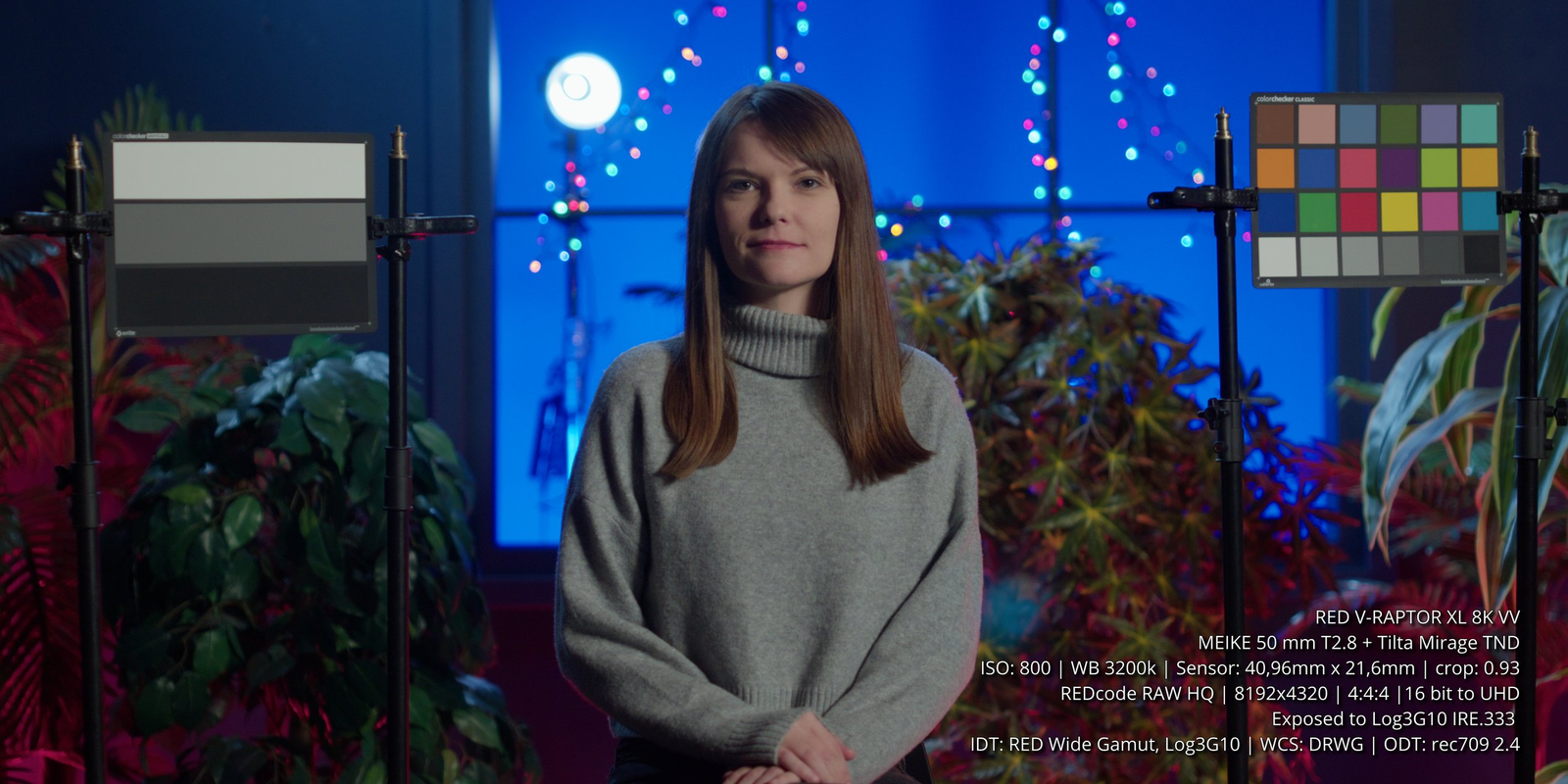
SONY FX3
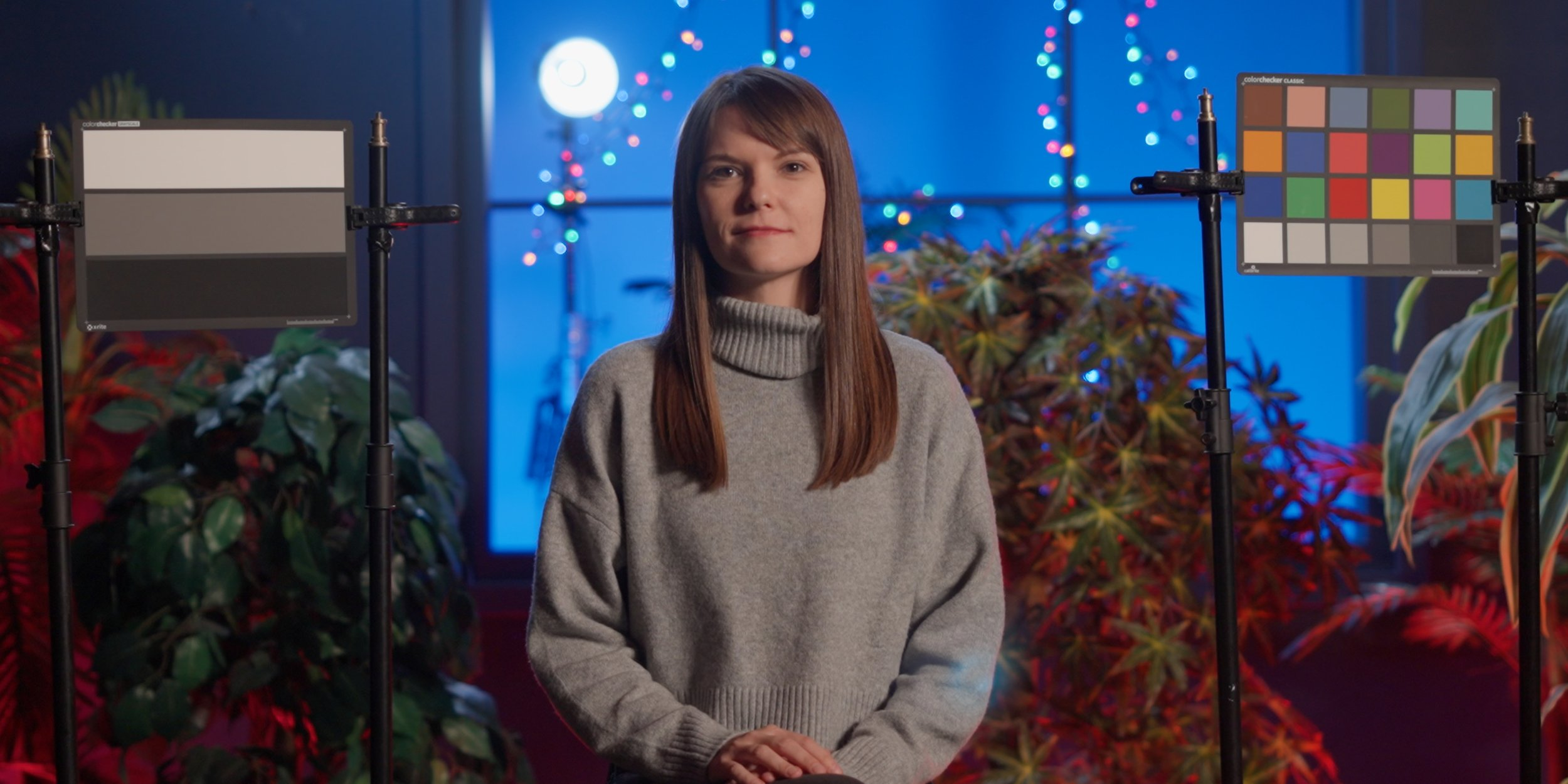
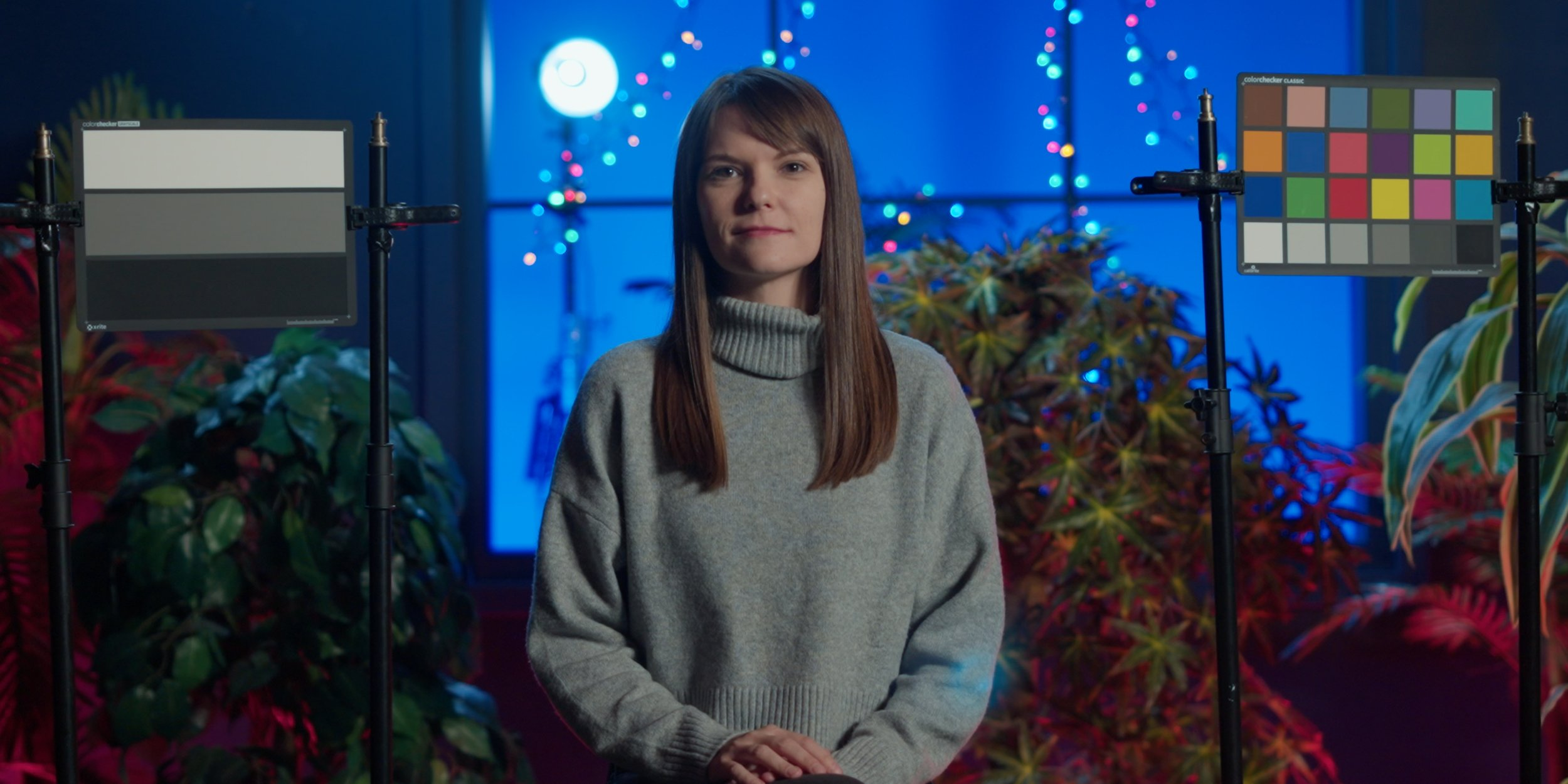
PANASONIC AU EVA 1
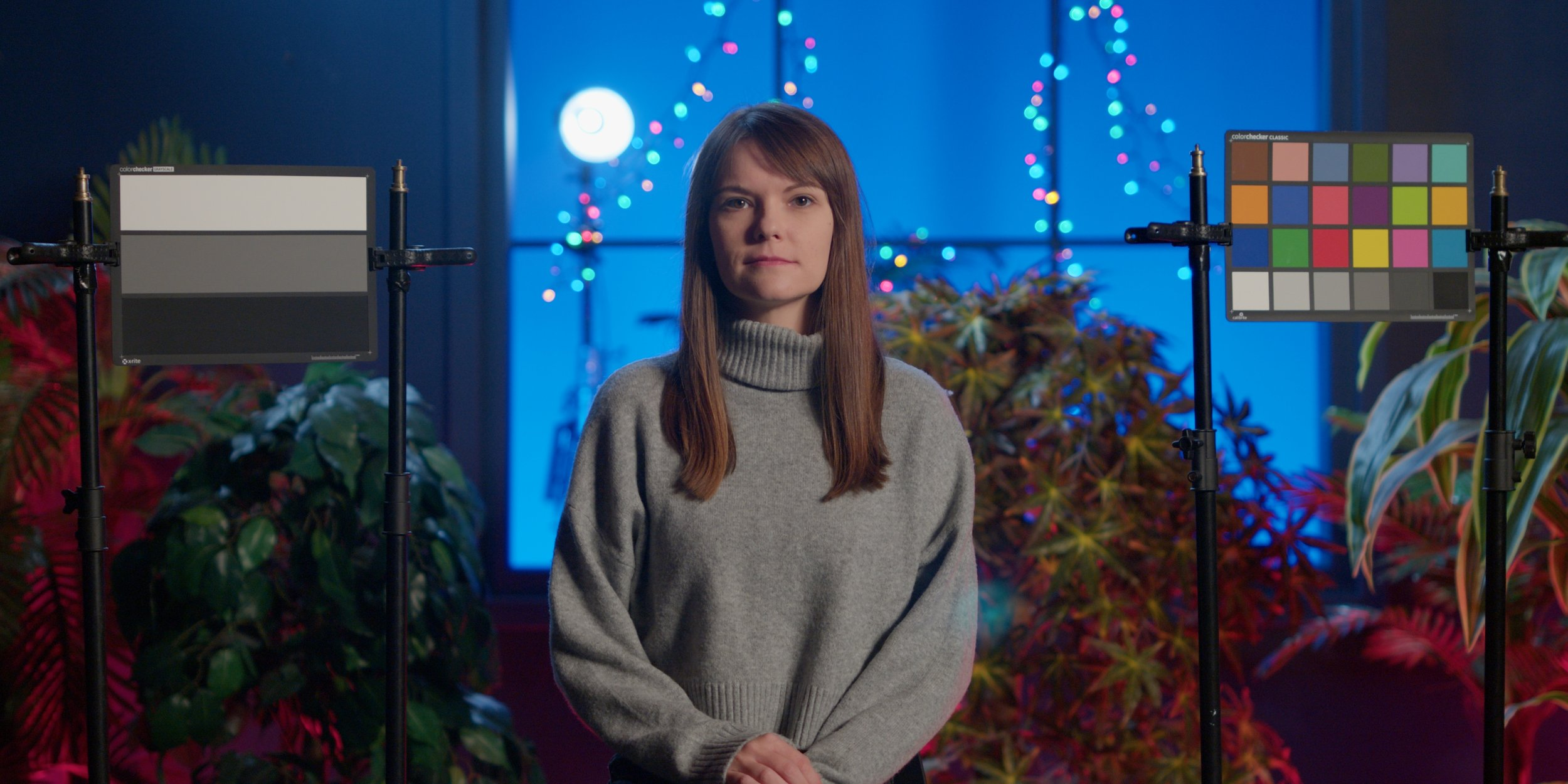
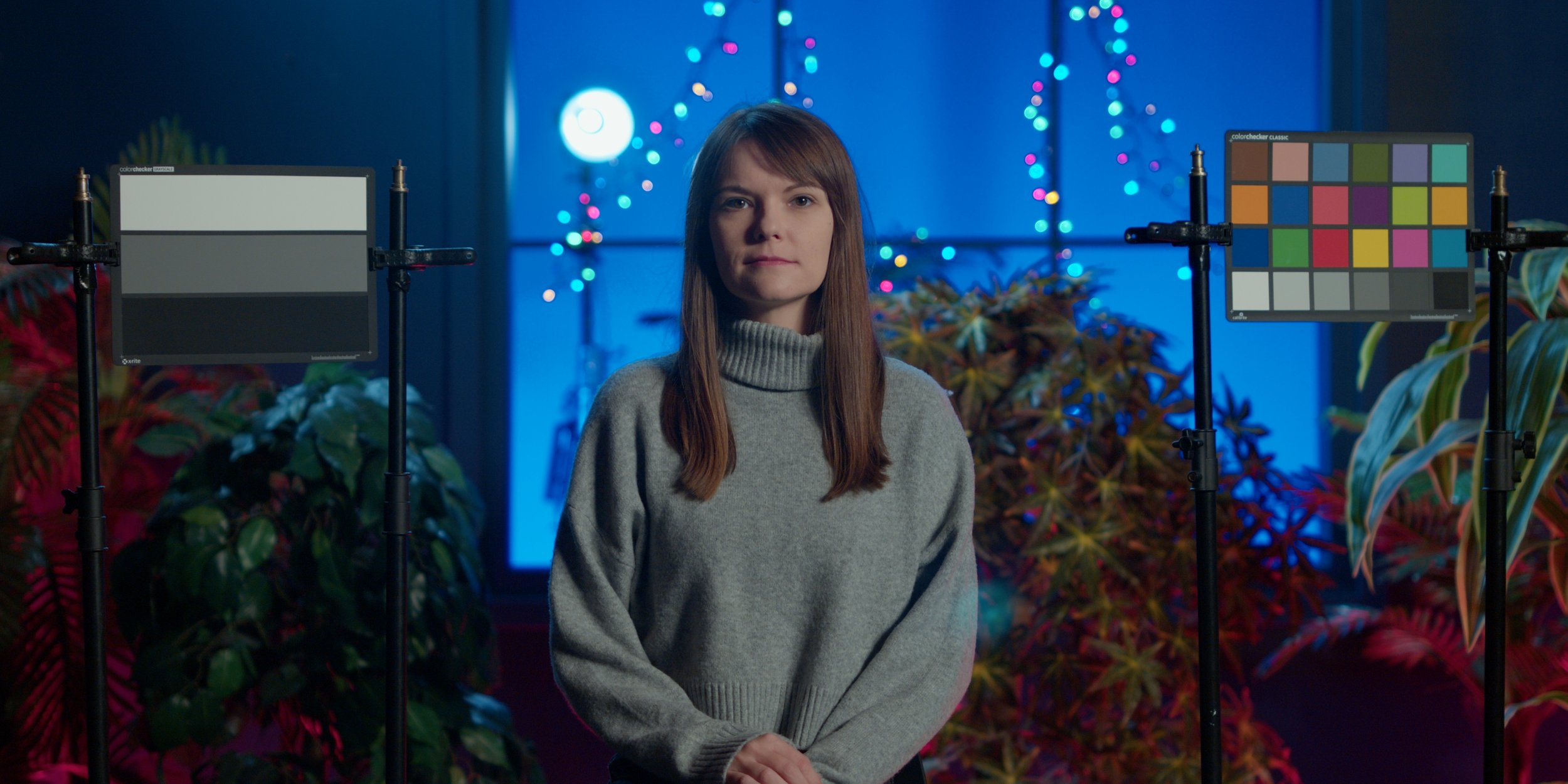
SONY A7IV
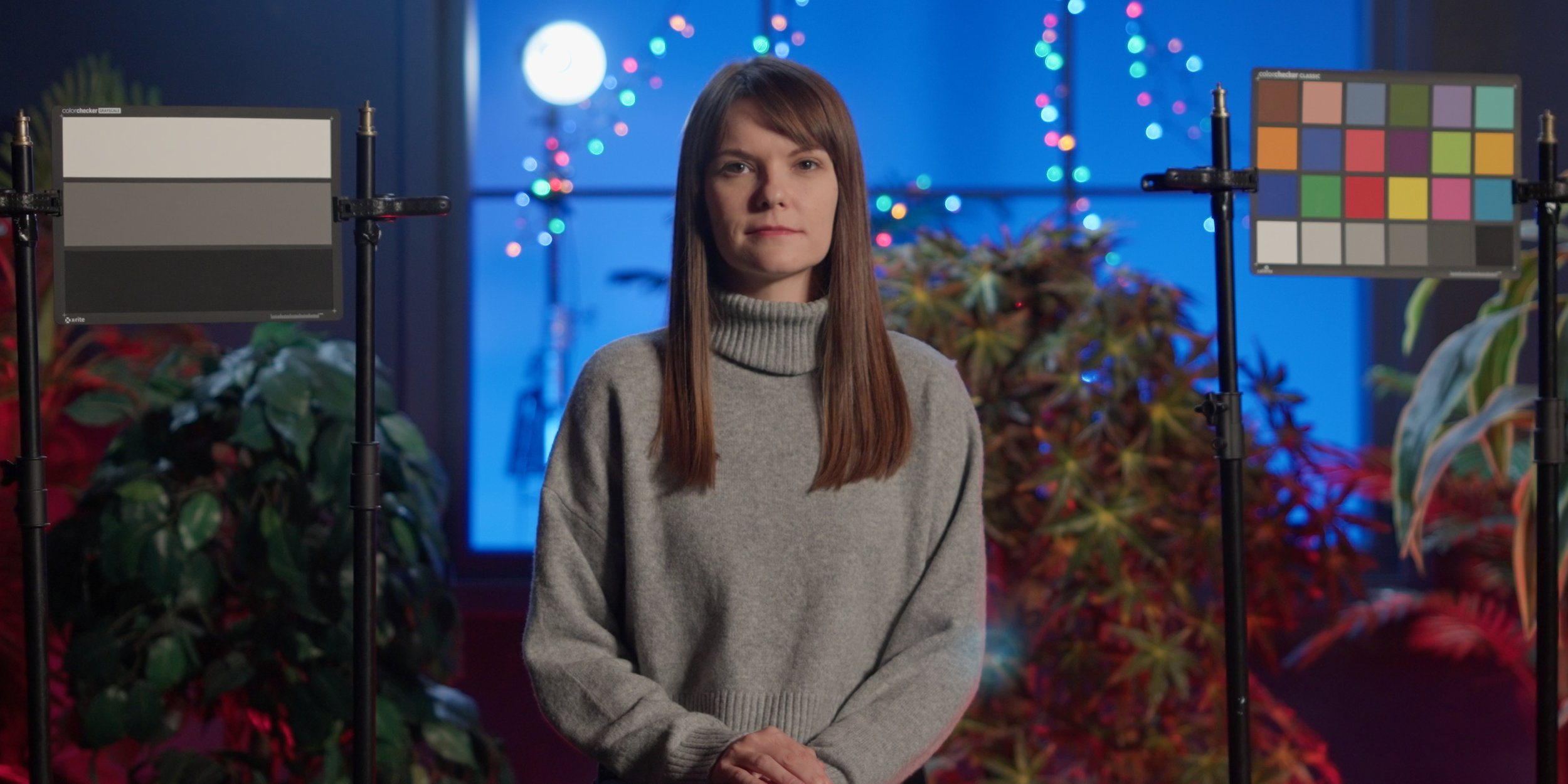
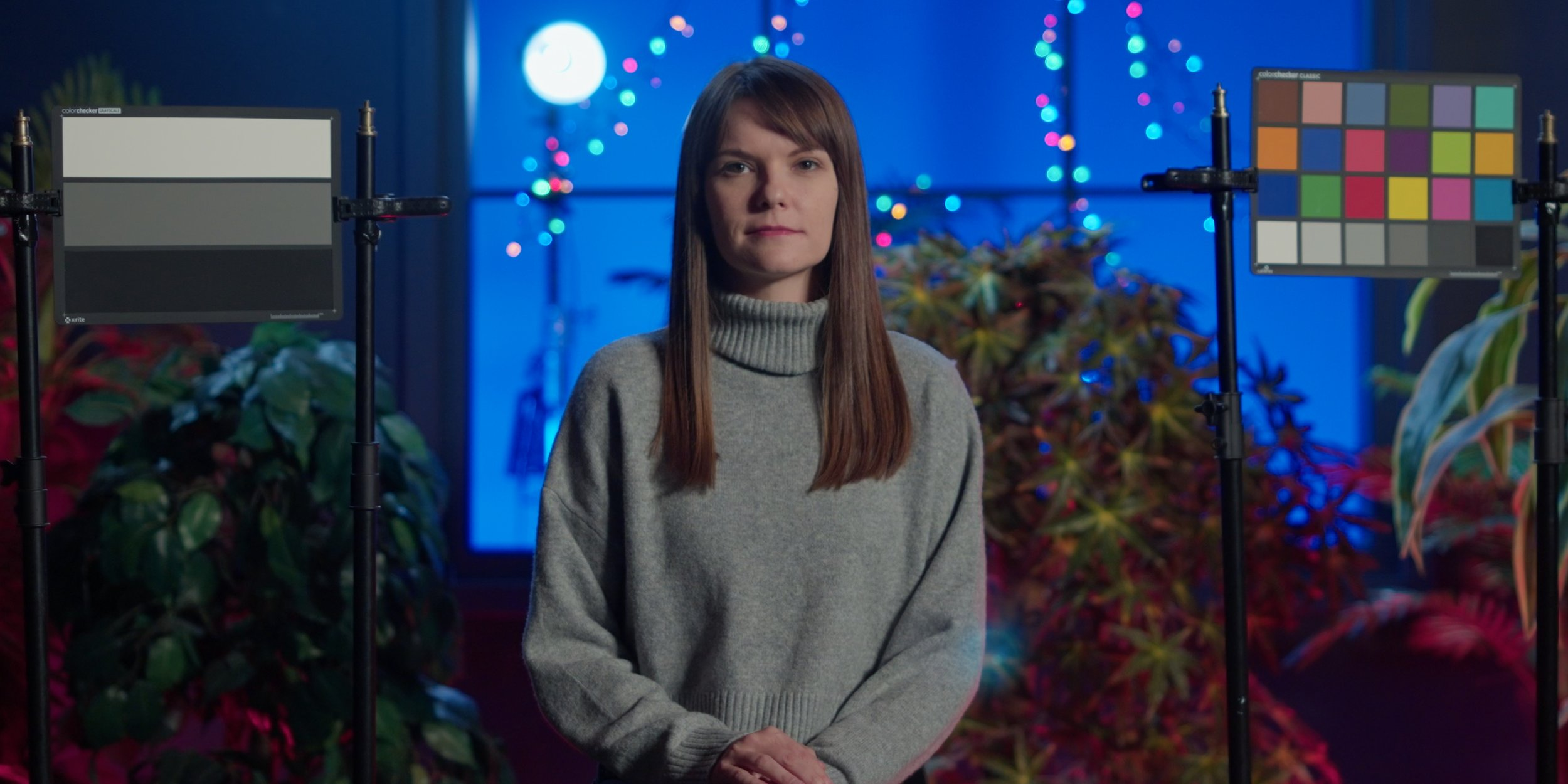
PANASONIC LUMIX S1H
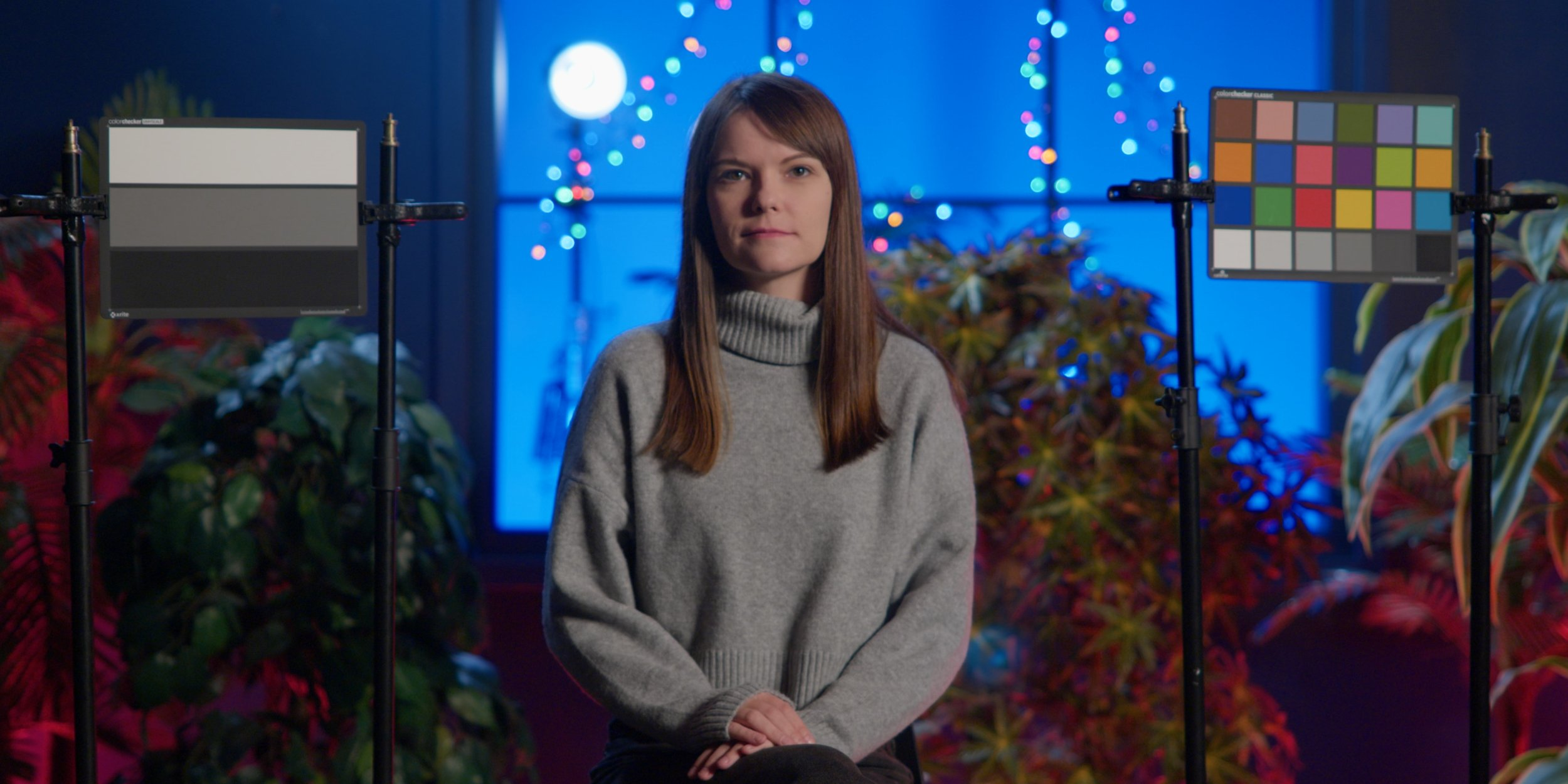
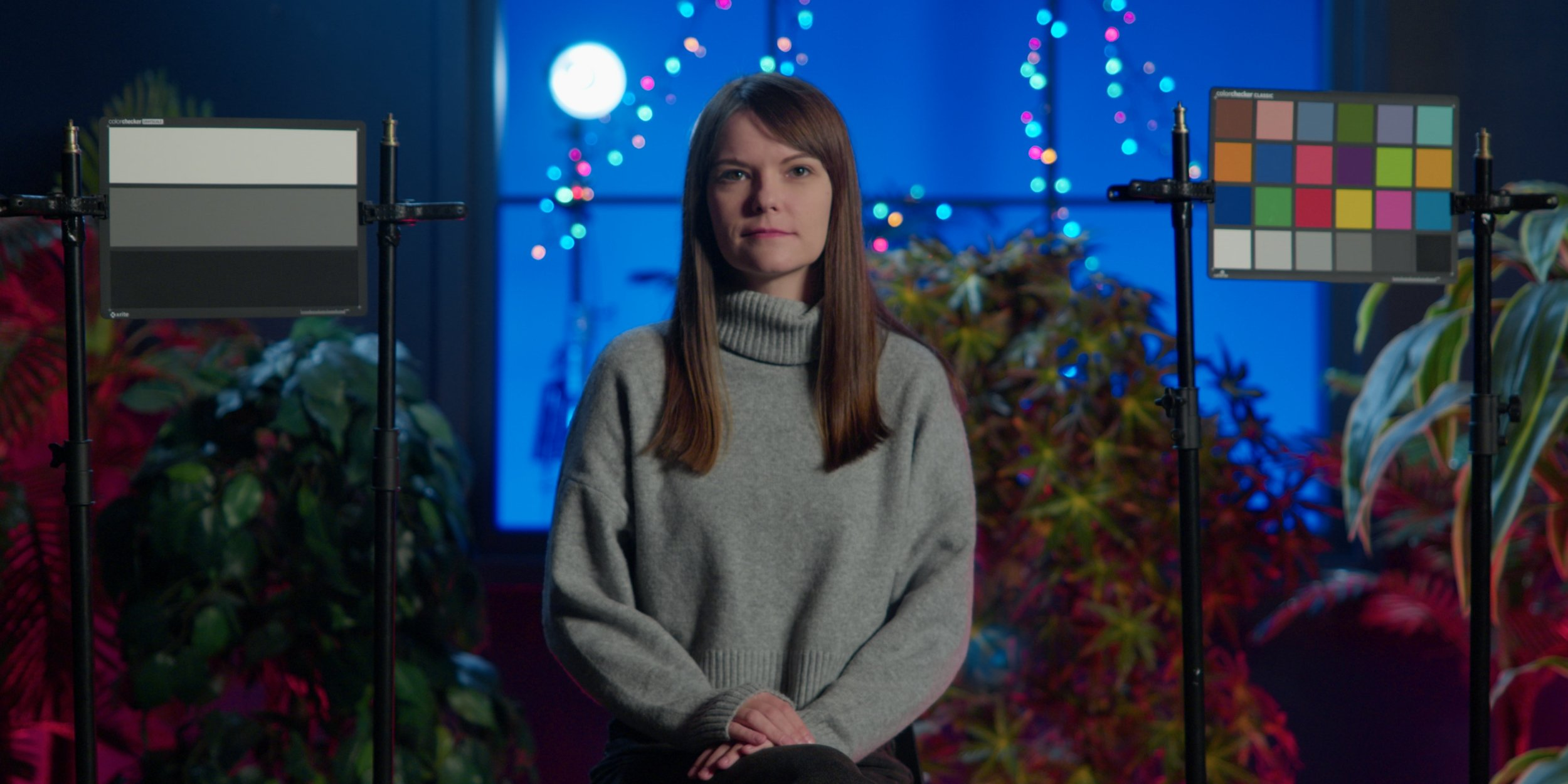
SONY A6400
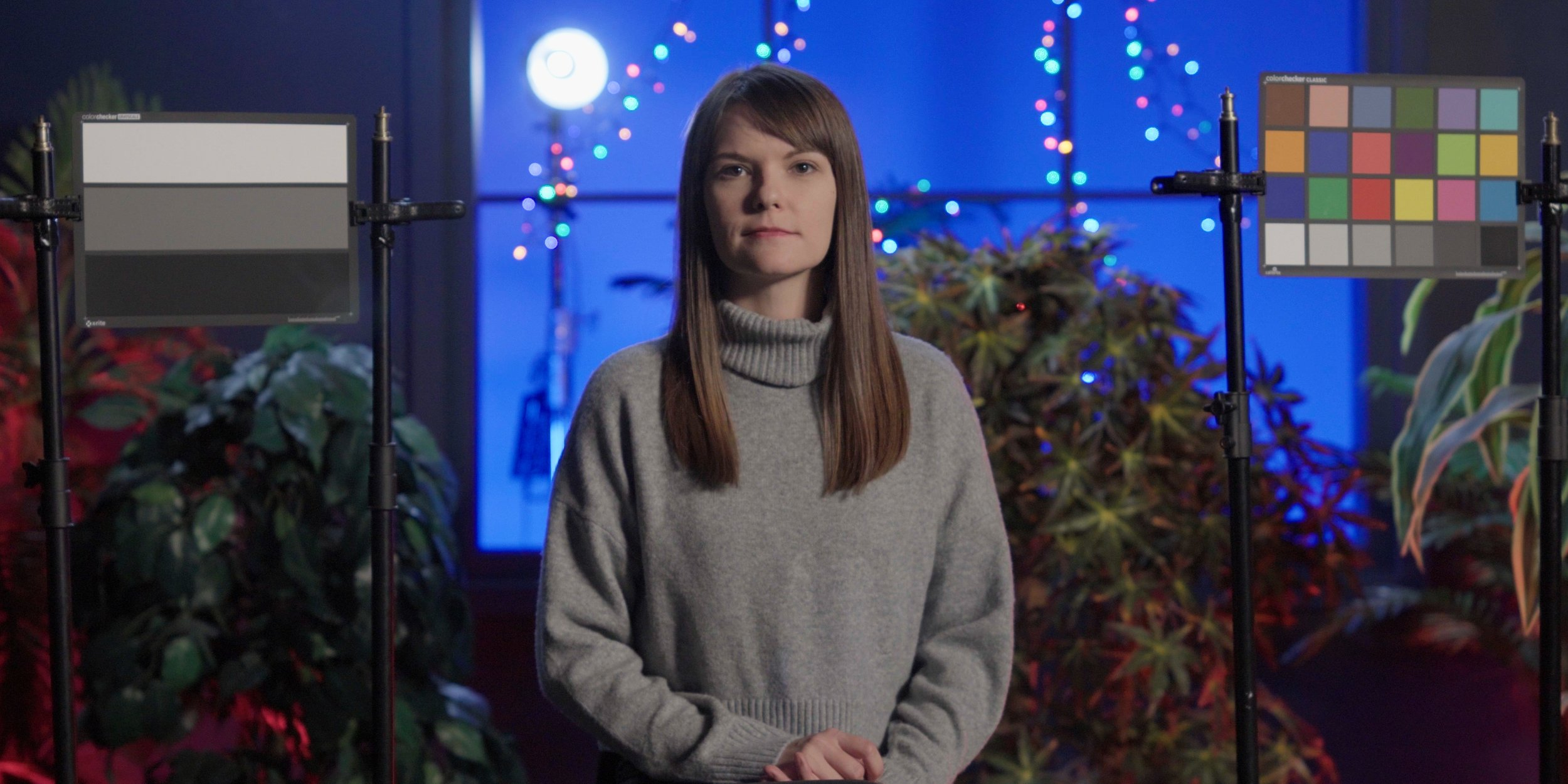
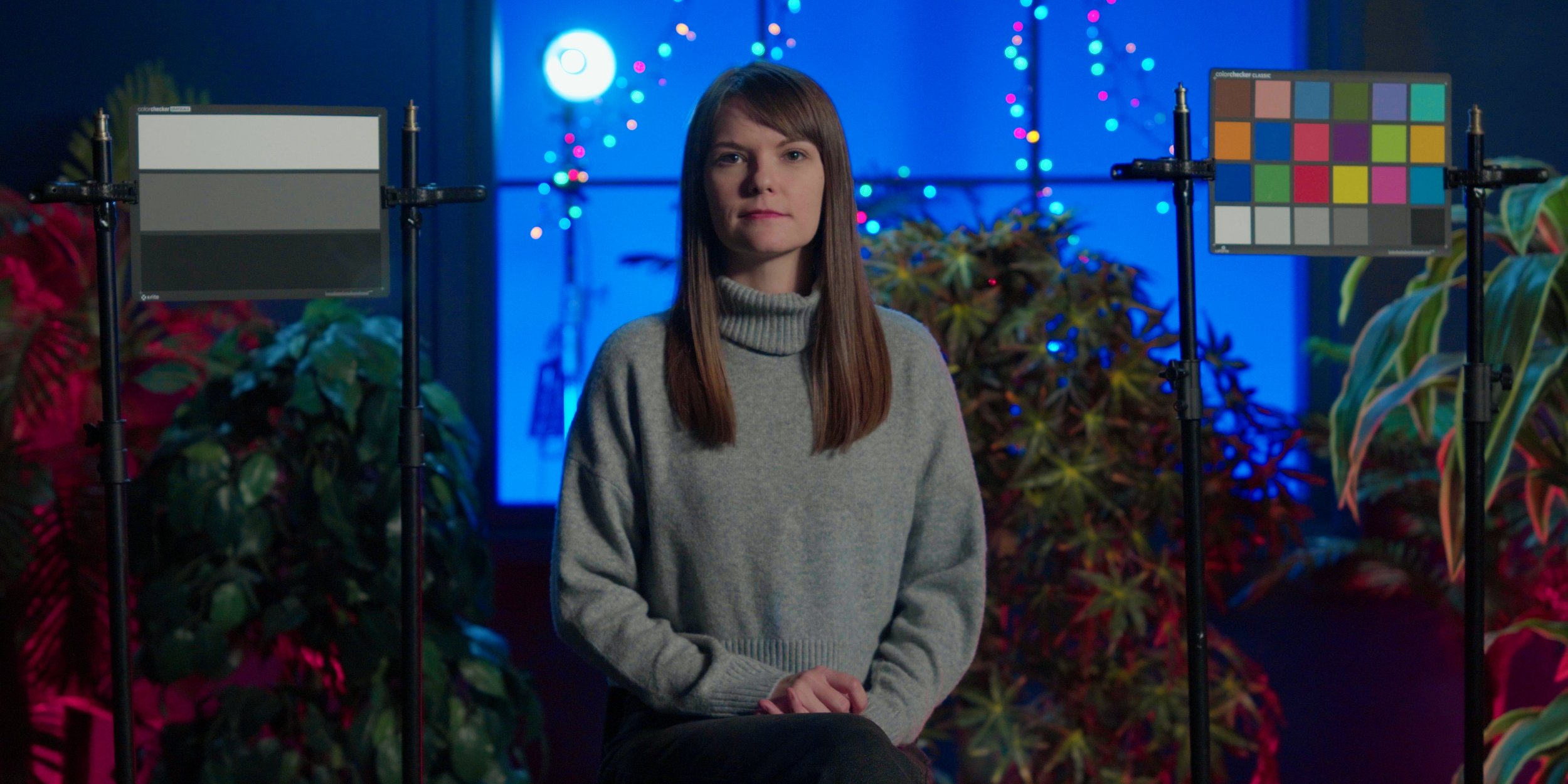
DJI MAVIC 3 PRO
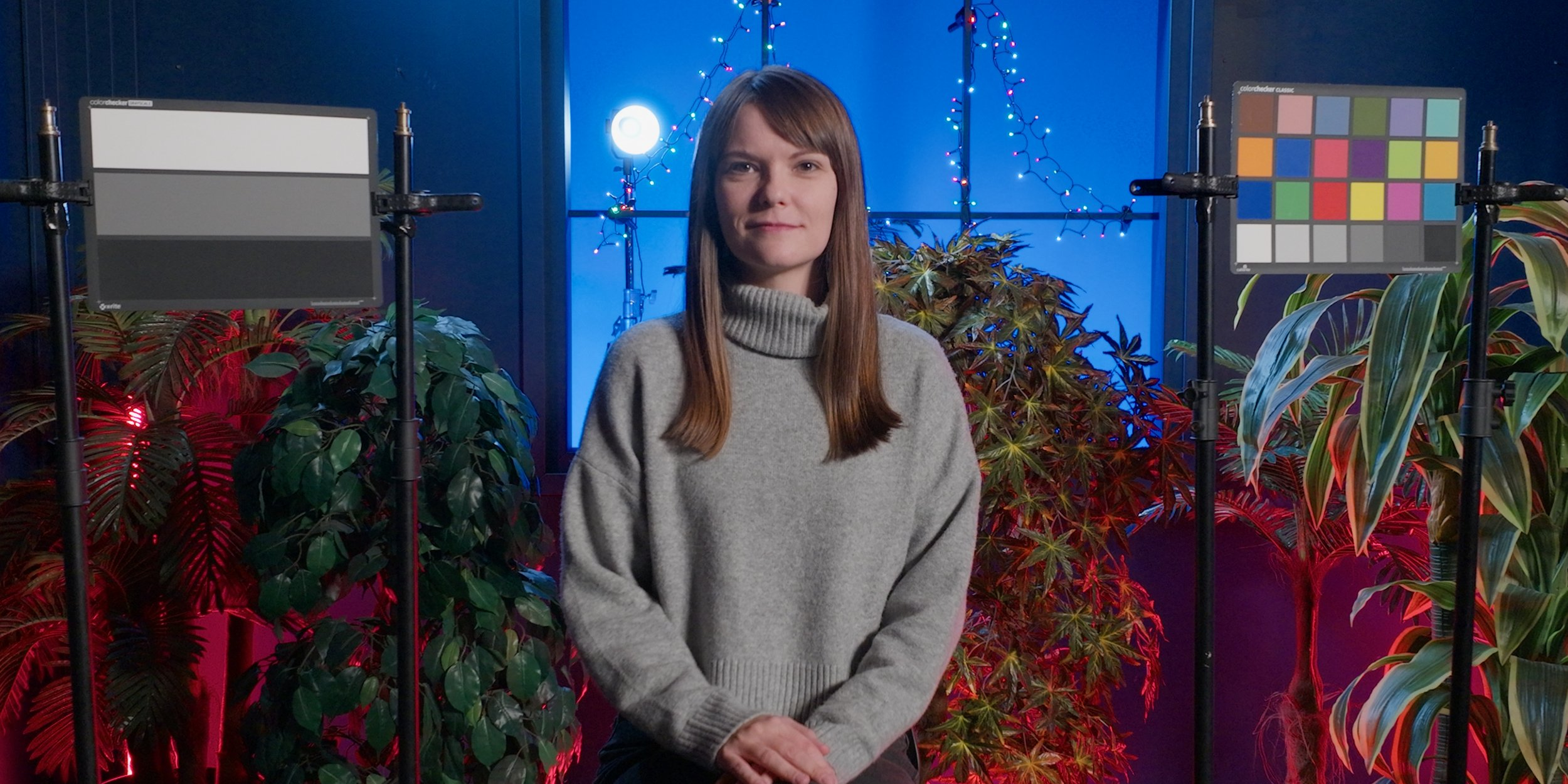
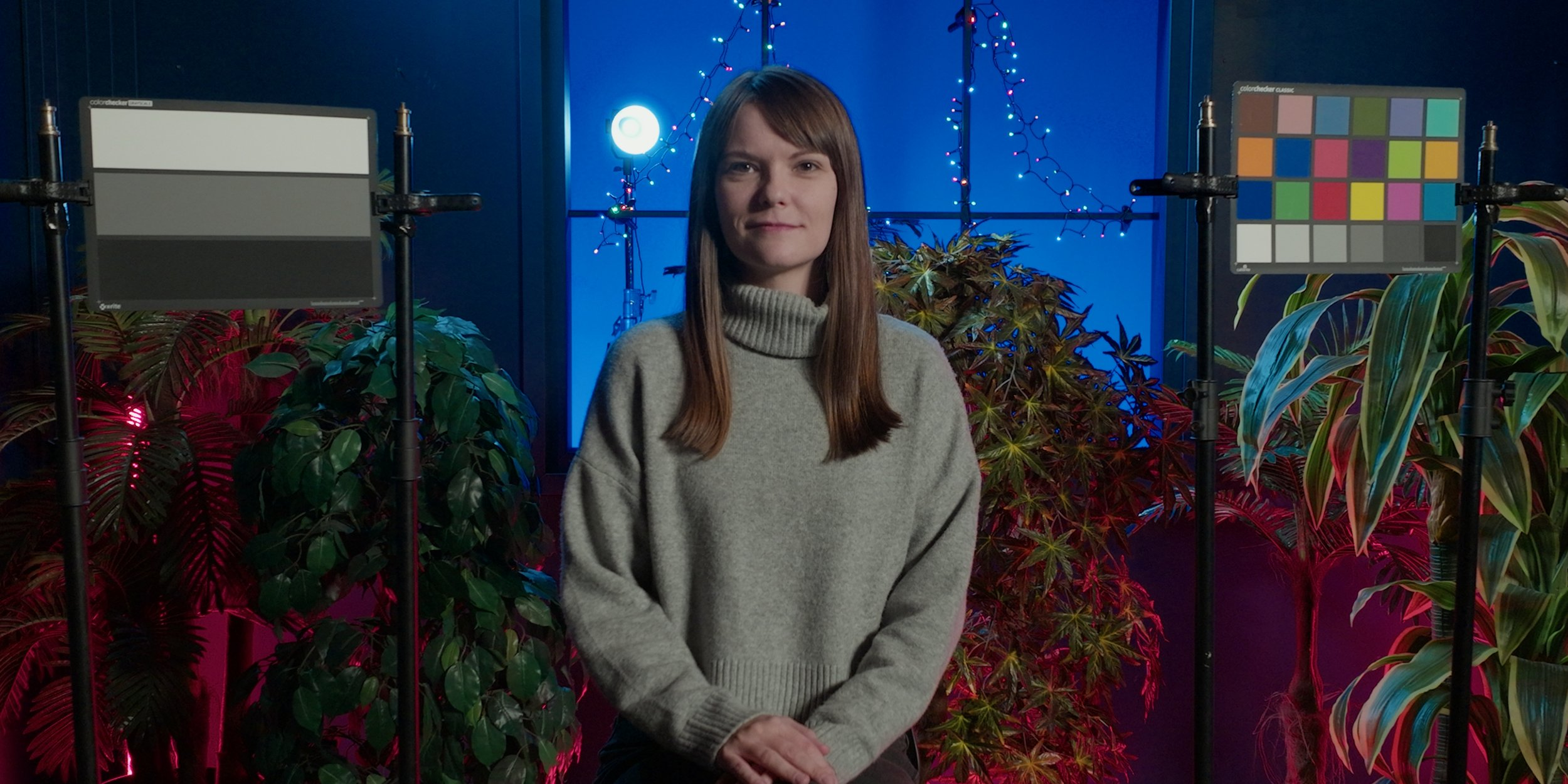
SONY A7SIII
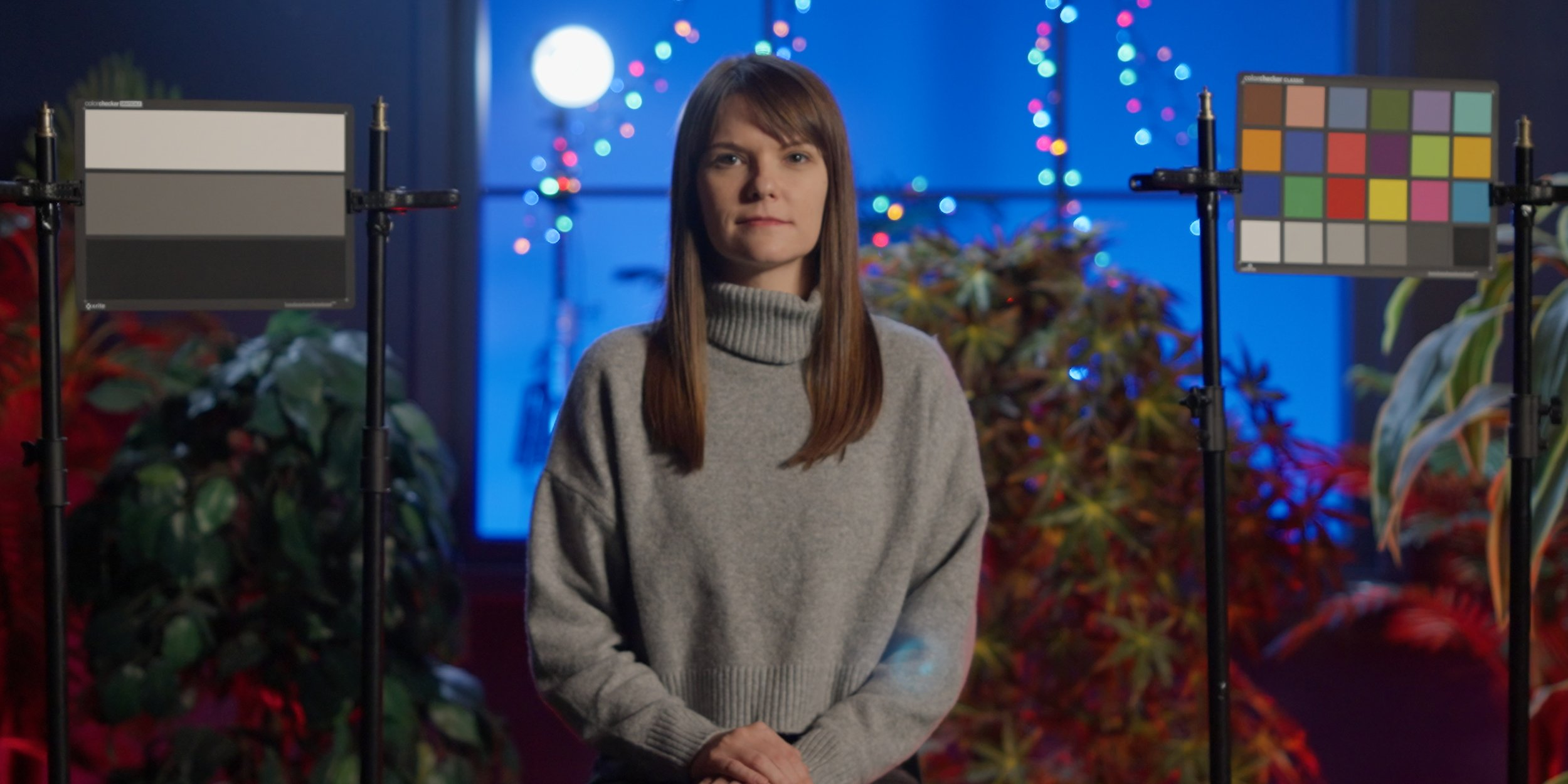
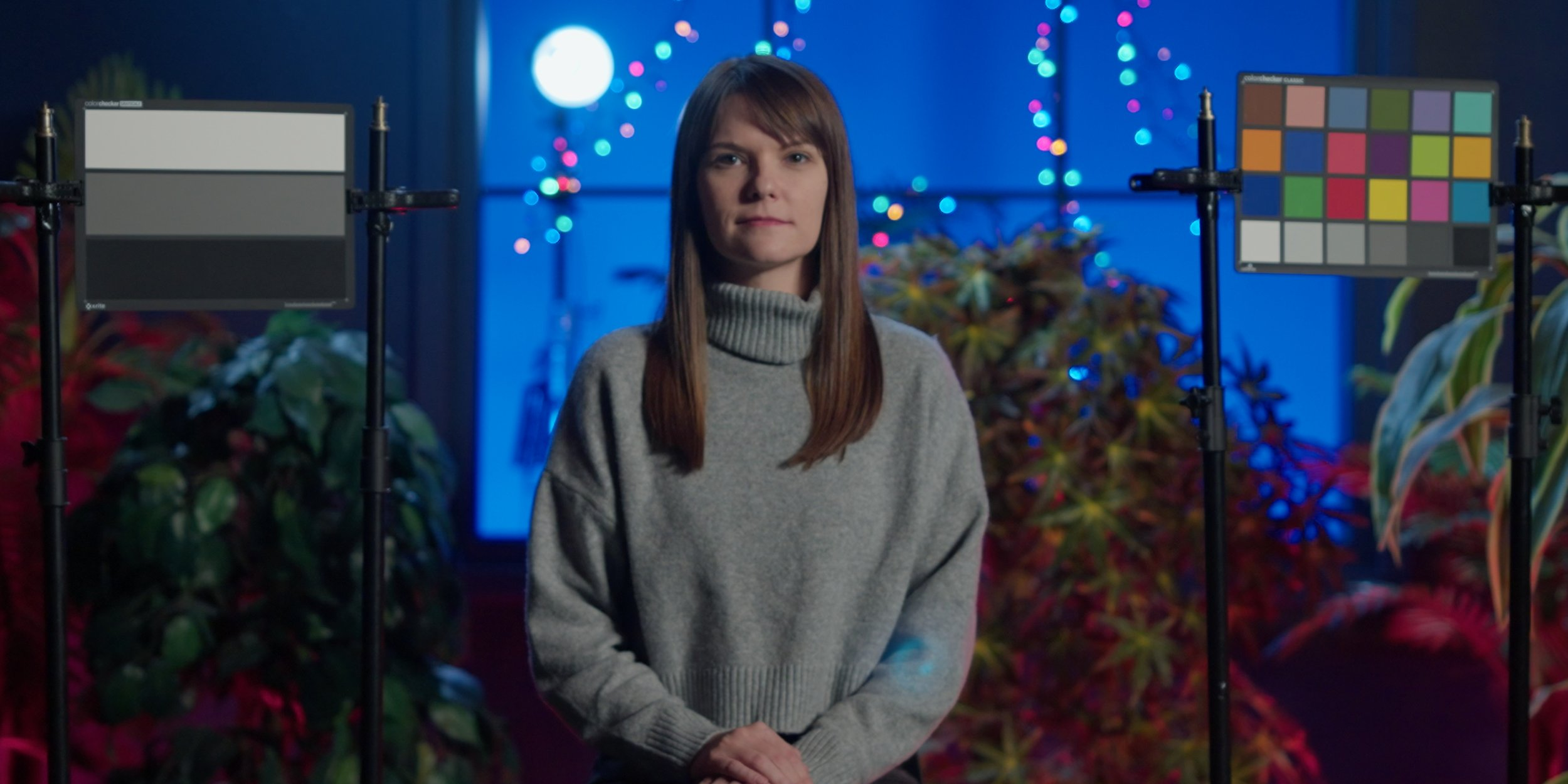
BLACKMAGIC DESIGN URSA MINI PRO 12K
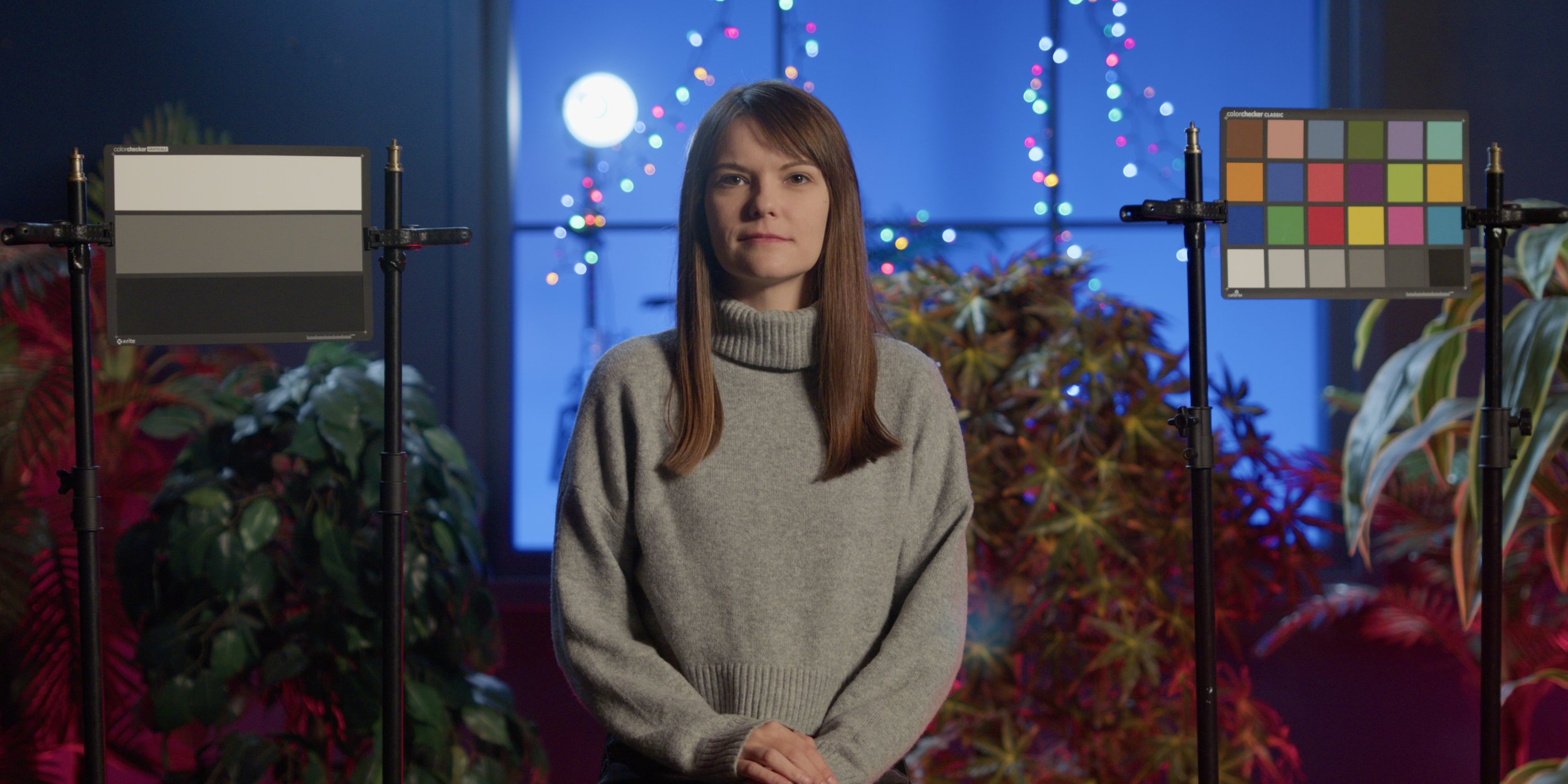
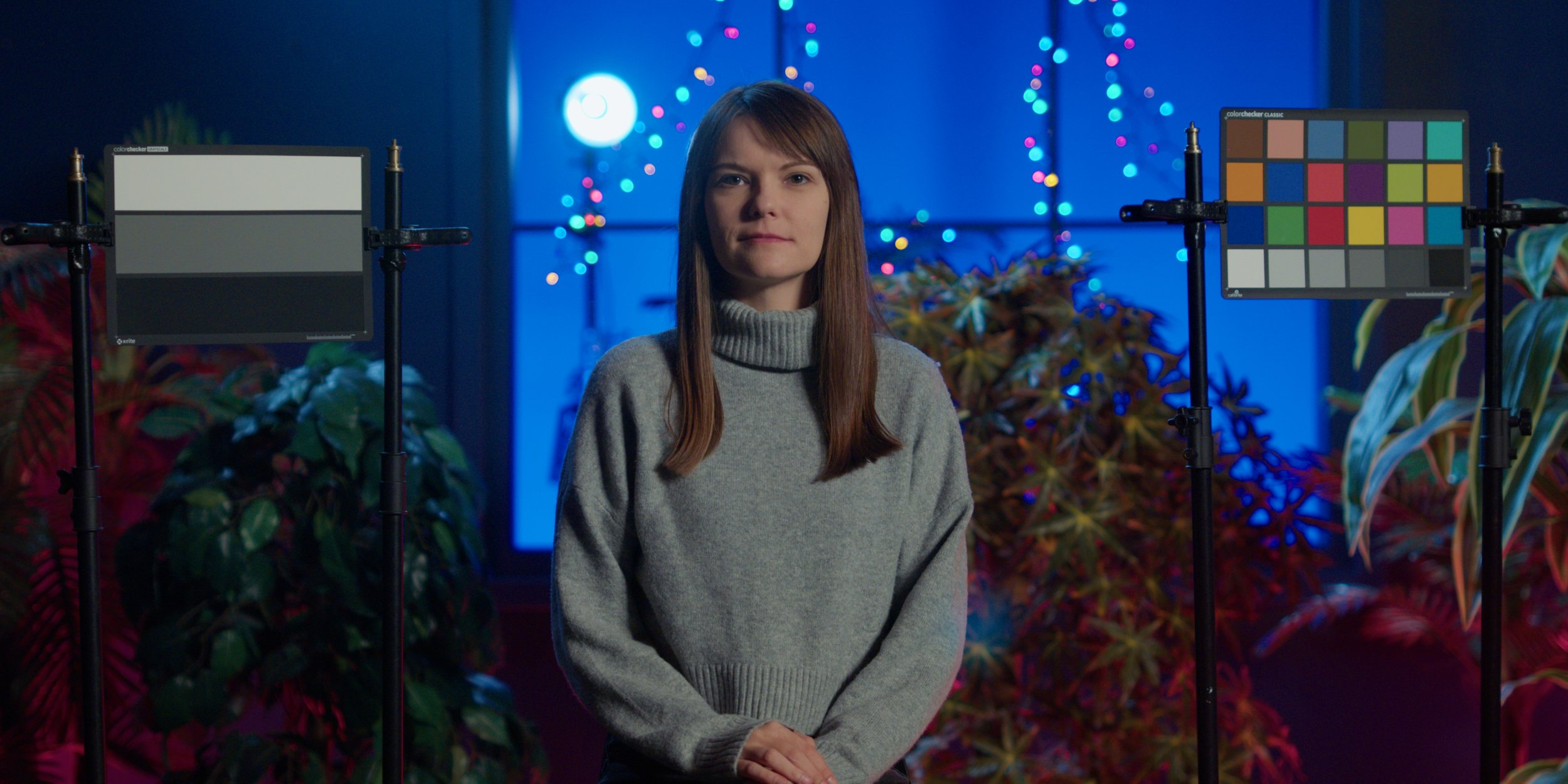
CANON EOS R5
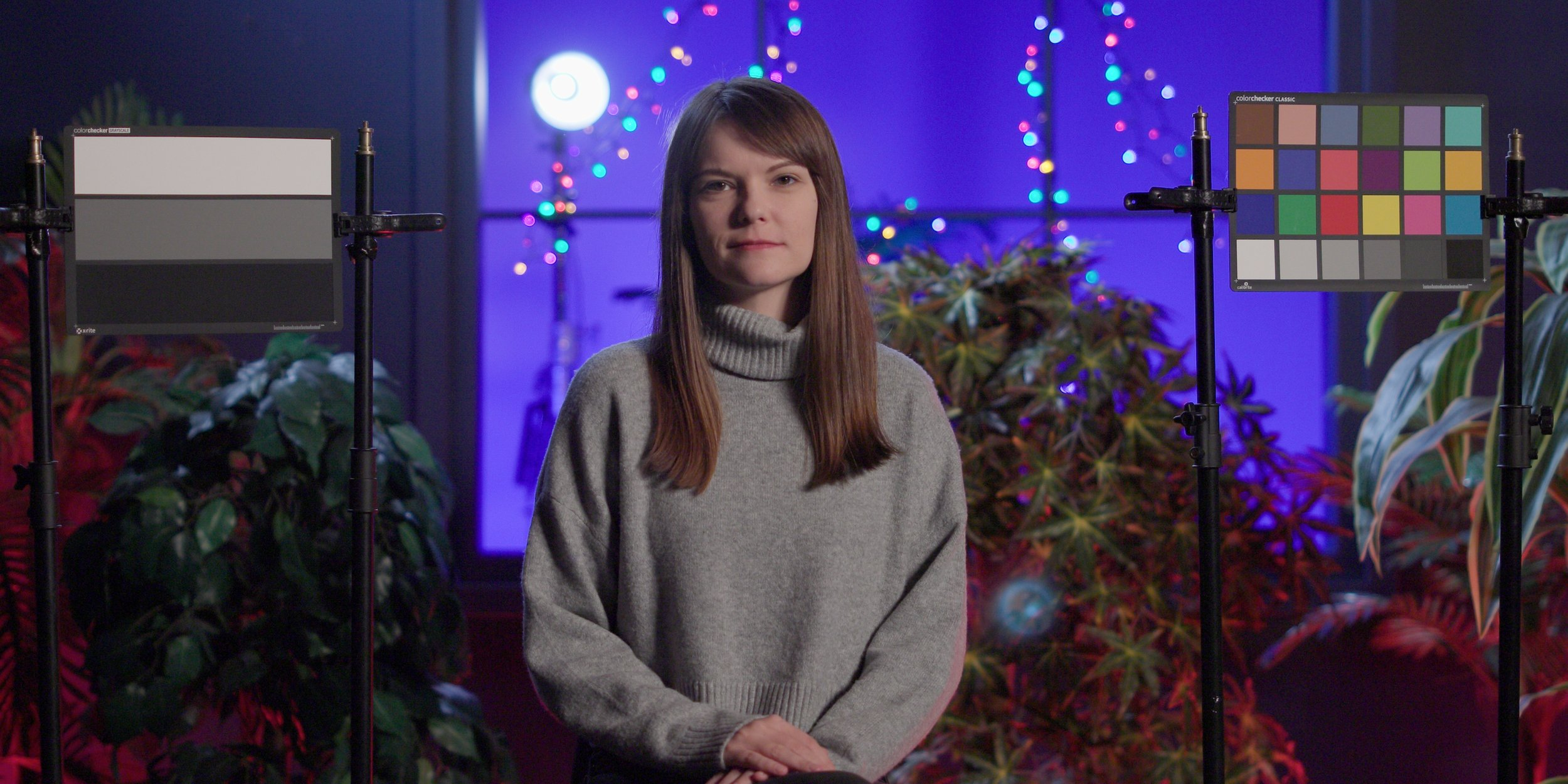
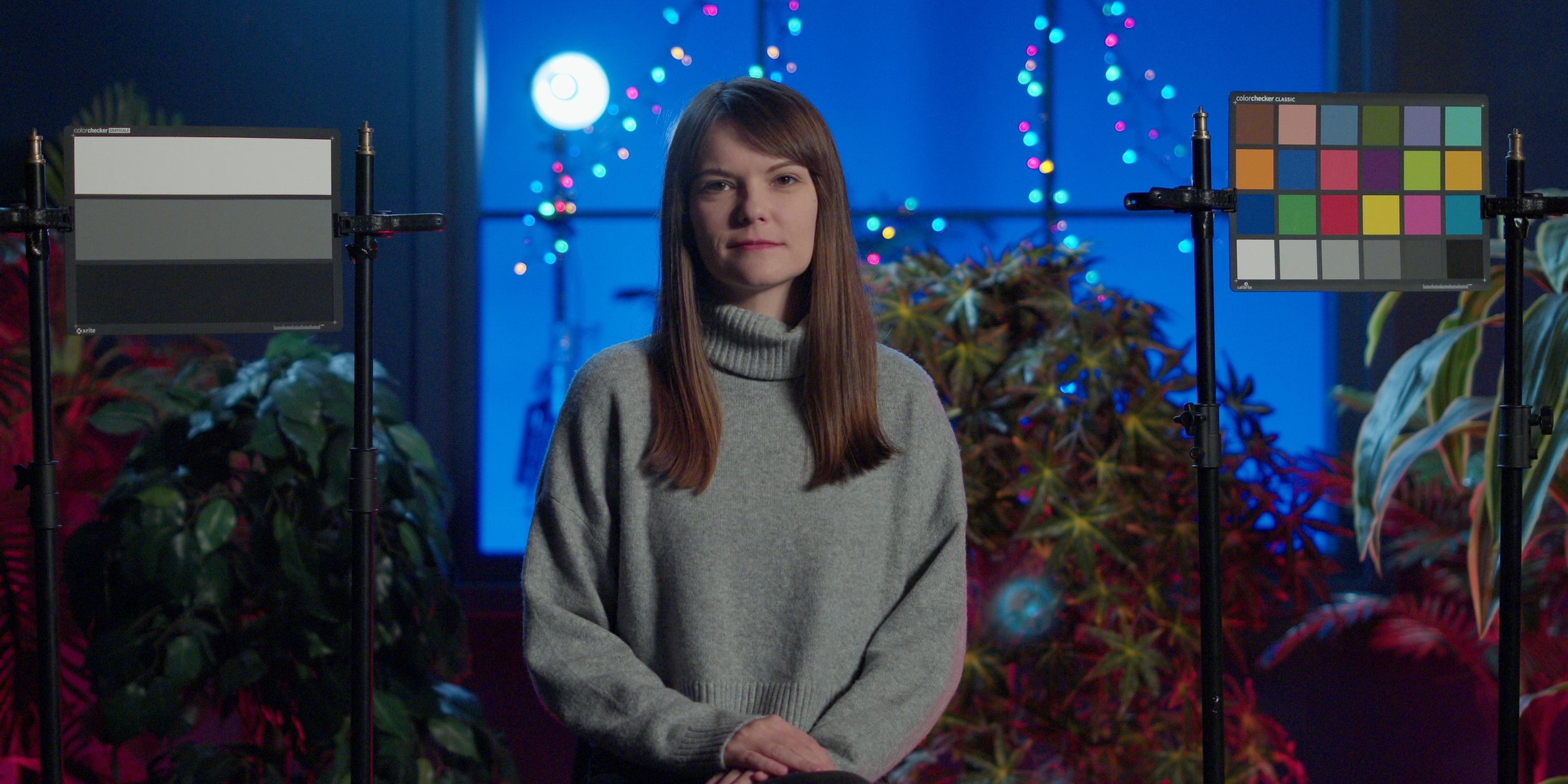
DJI RONIN 4D 6K
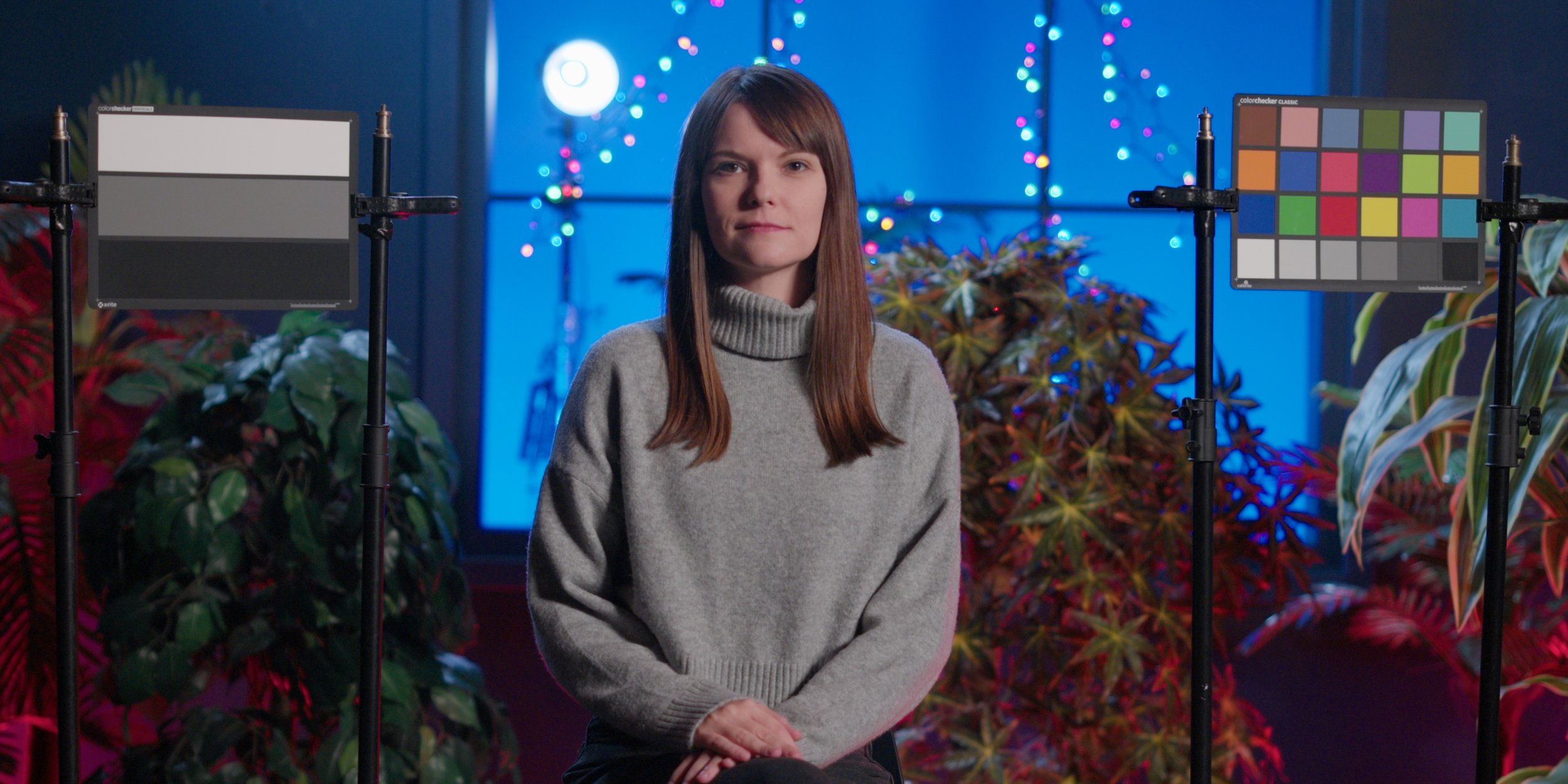
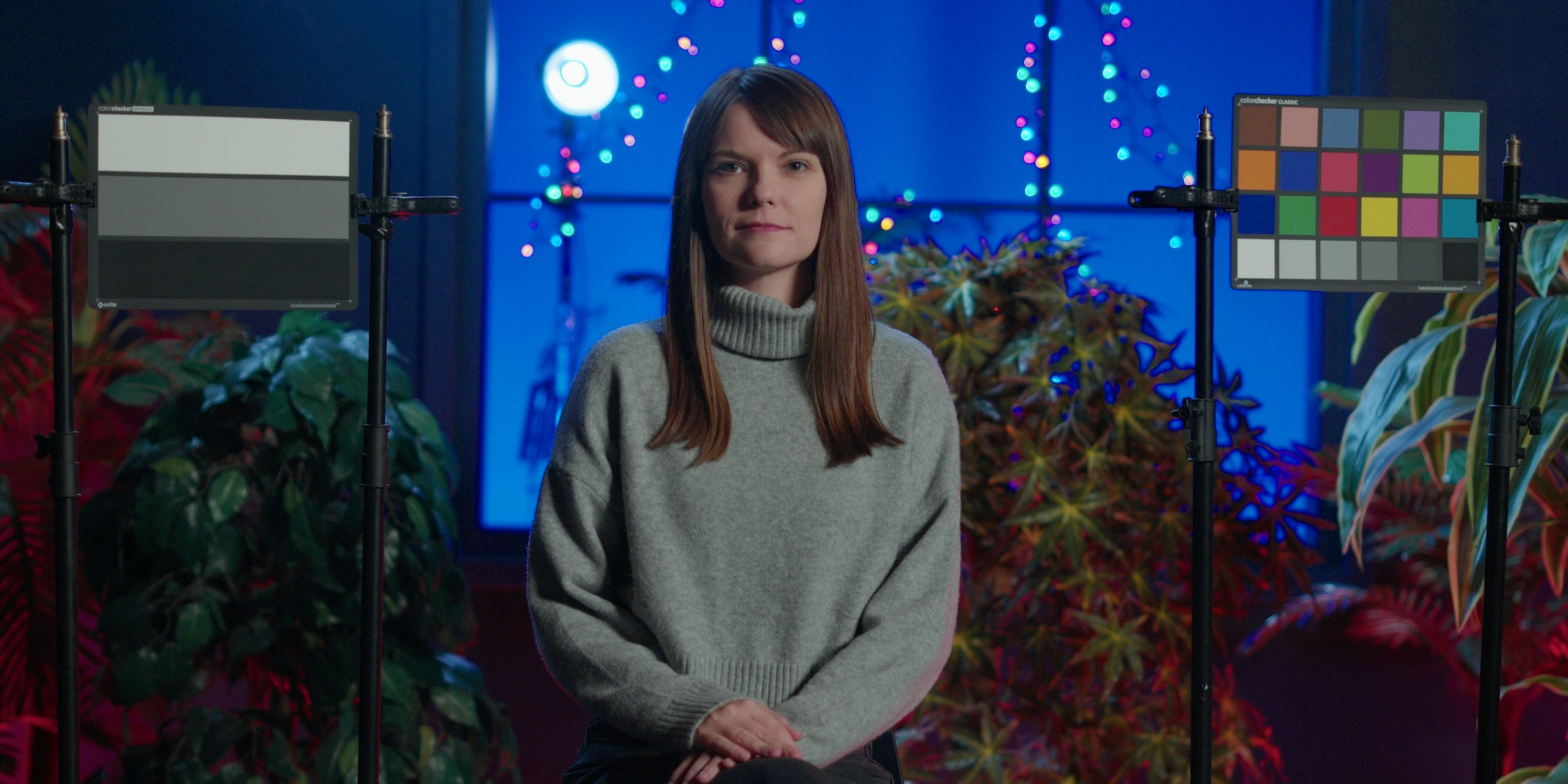
SONY FX6
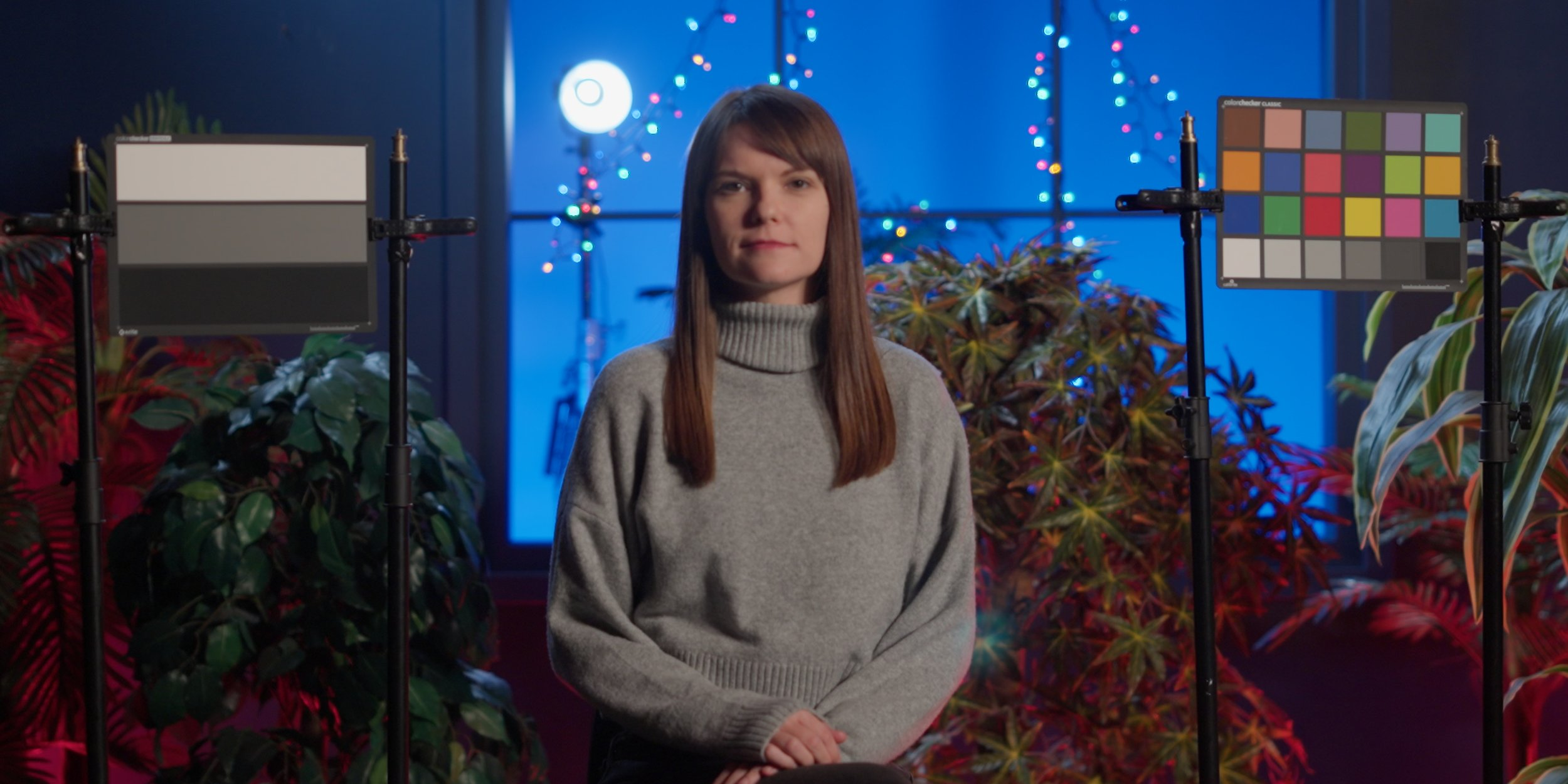
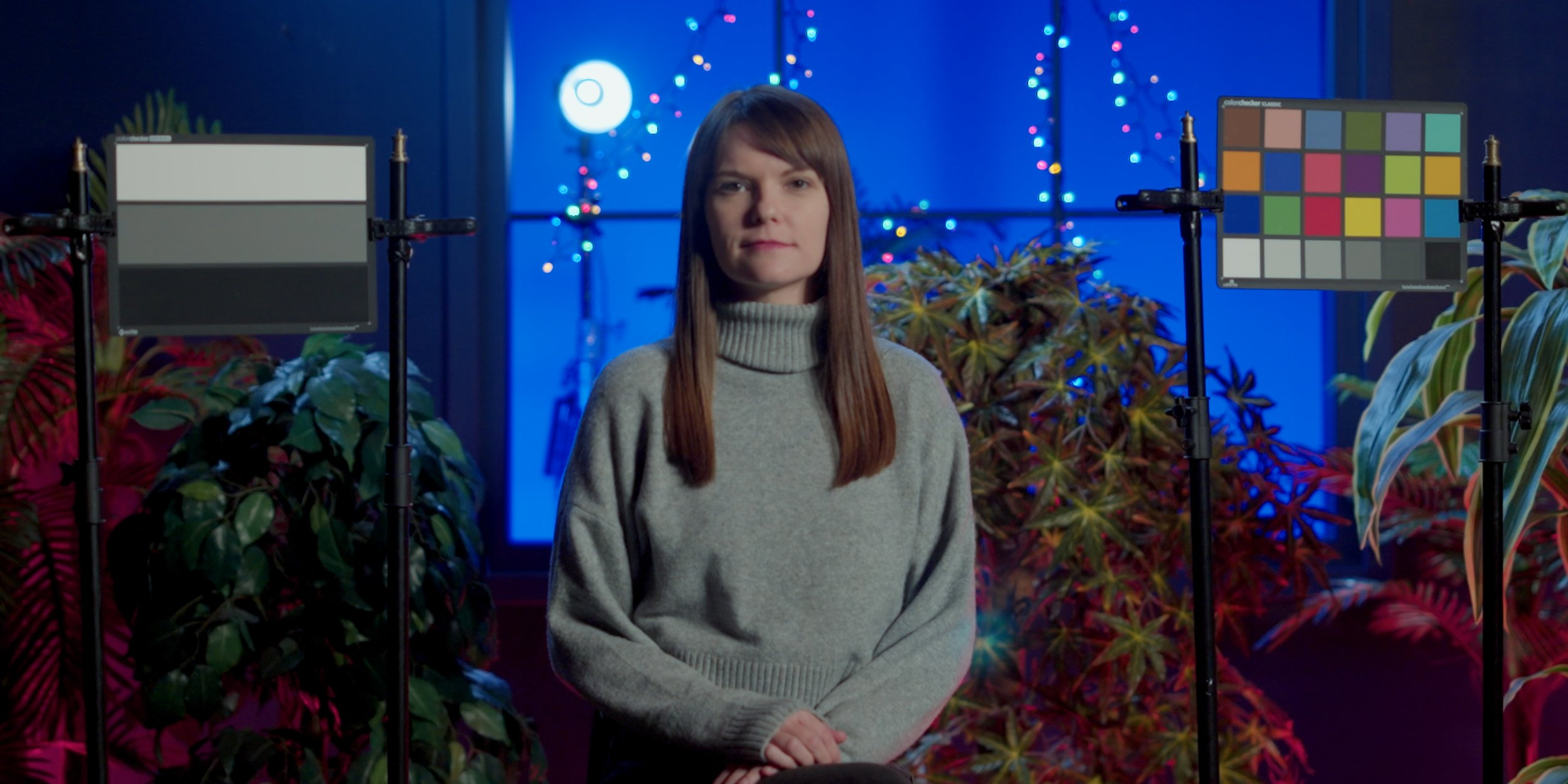
PANASONIC BGH1
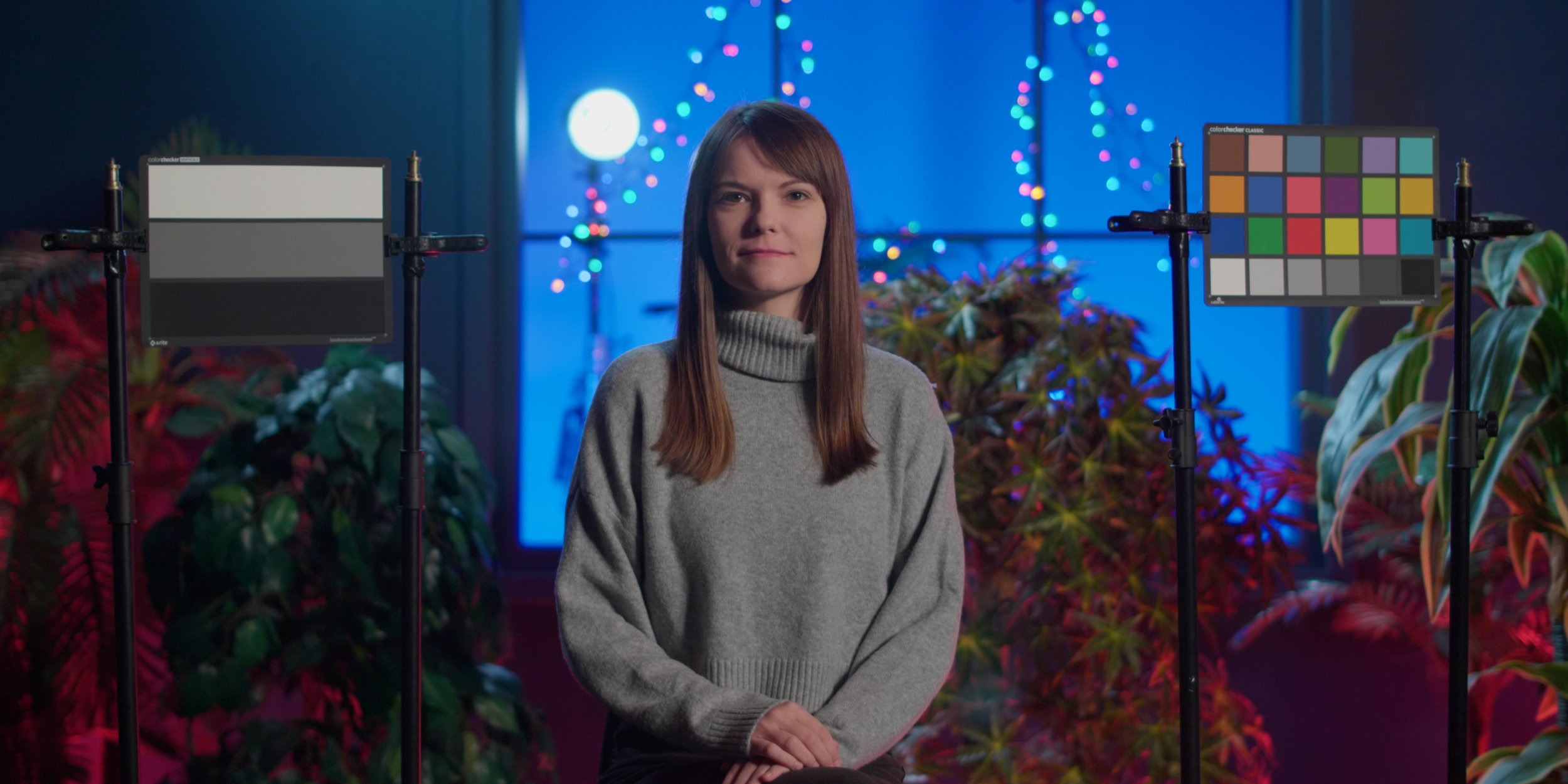
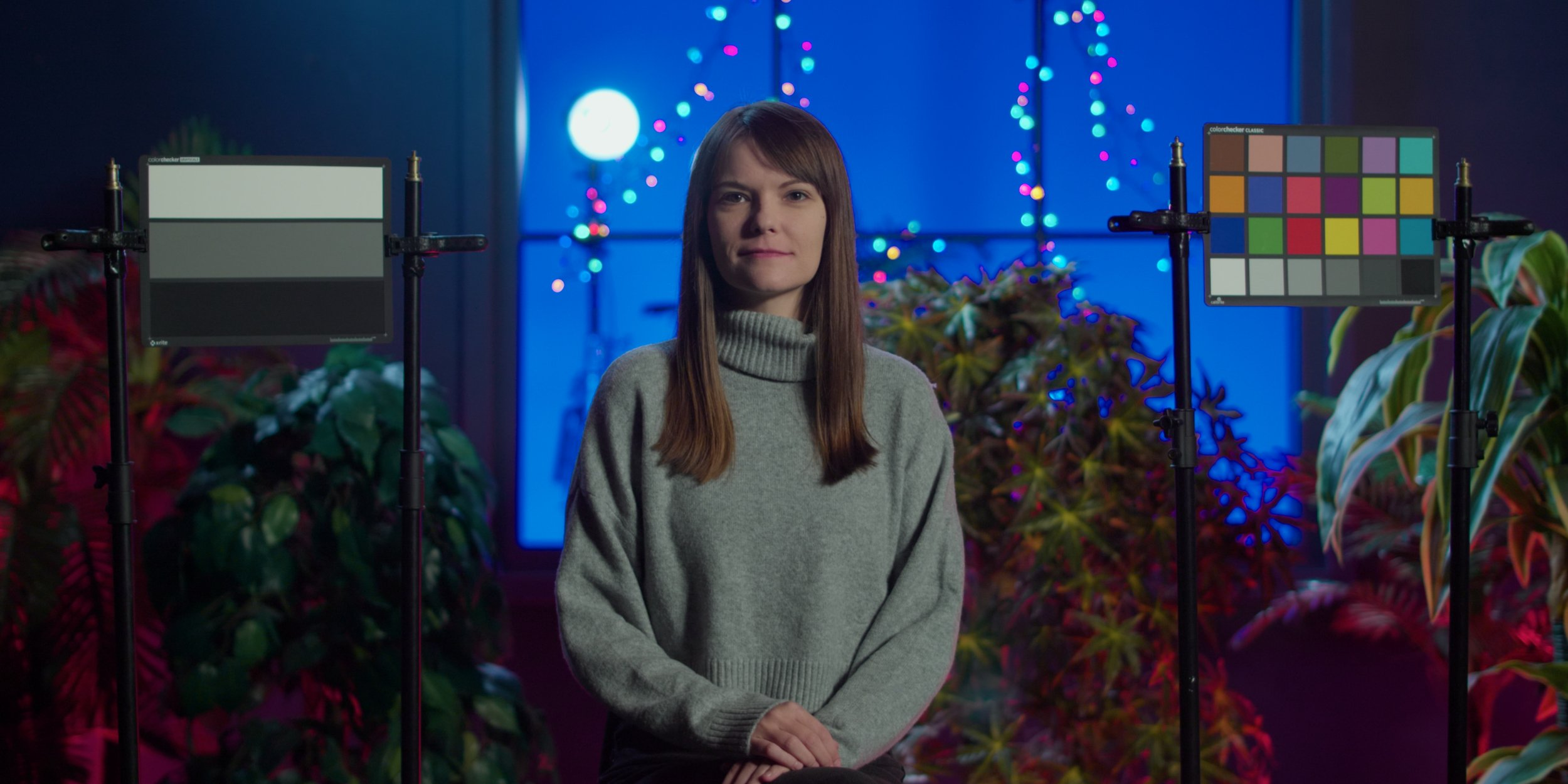
SONY A1
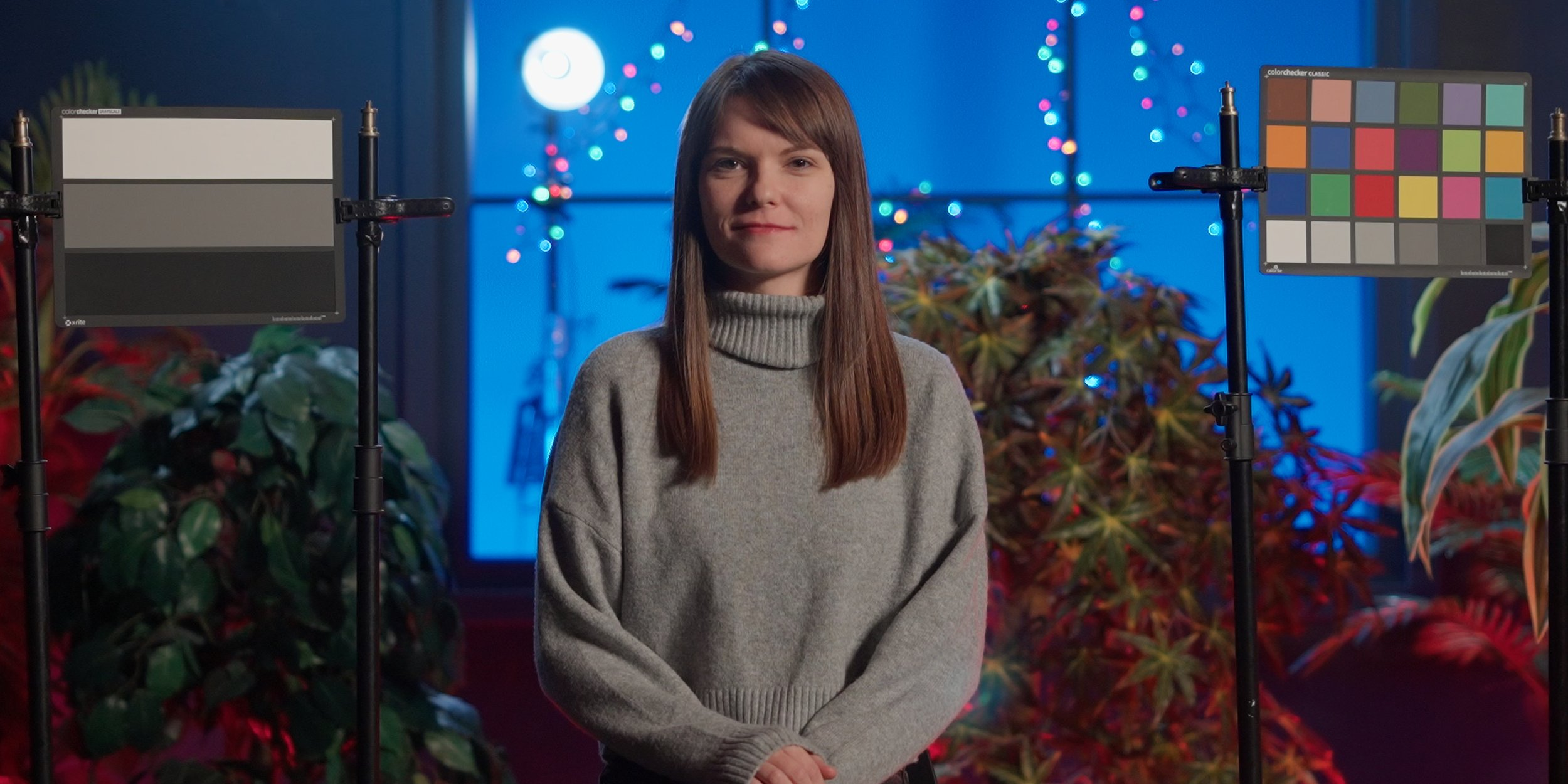
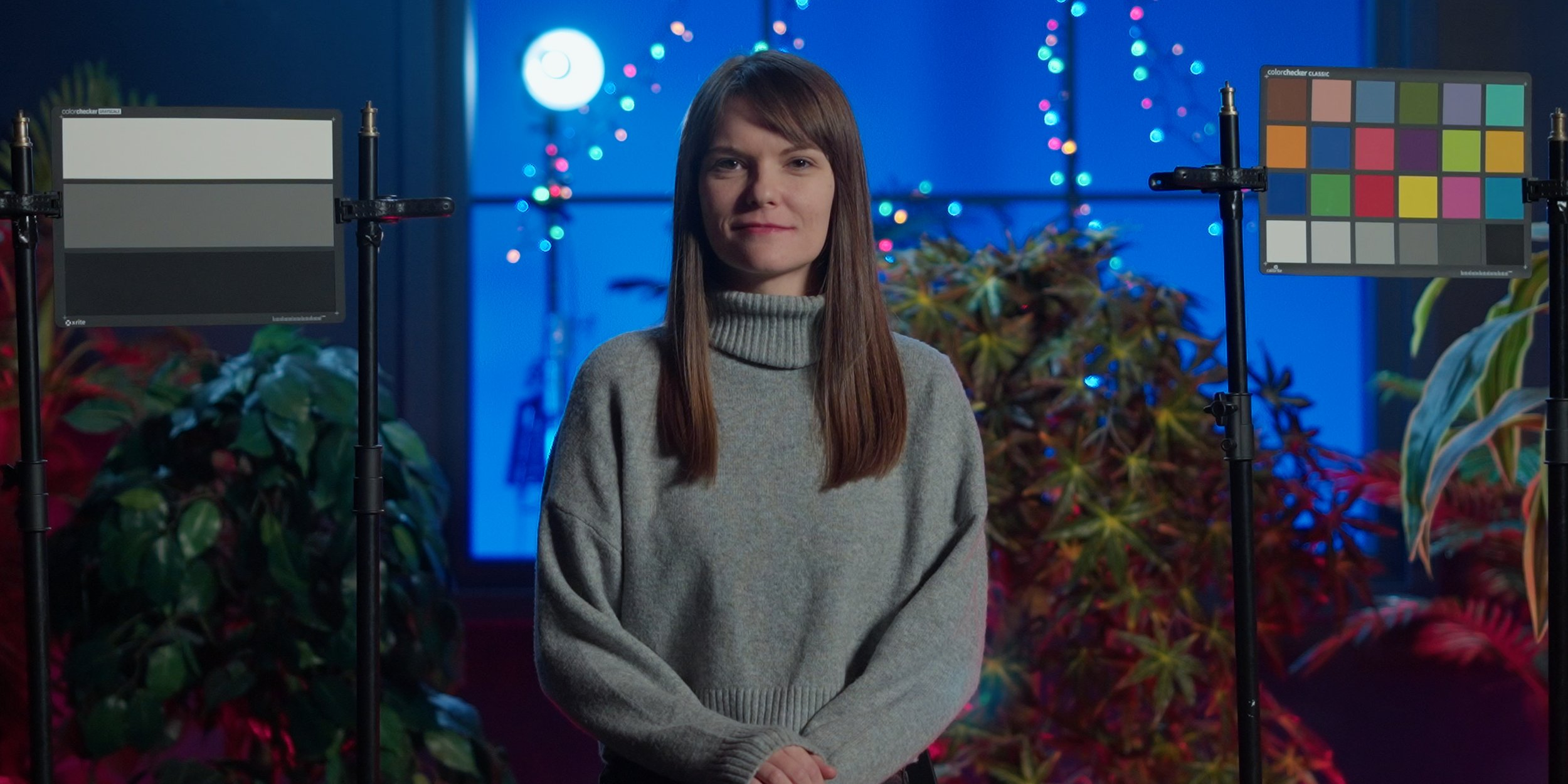
BLACKMAGIC DESIGN POCKET CINEMA CAMERA 6K
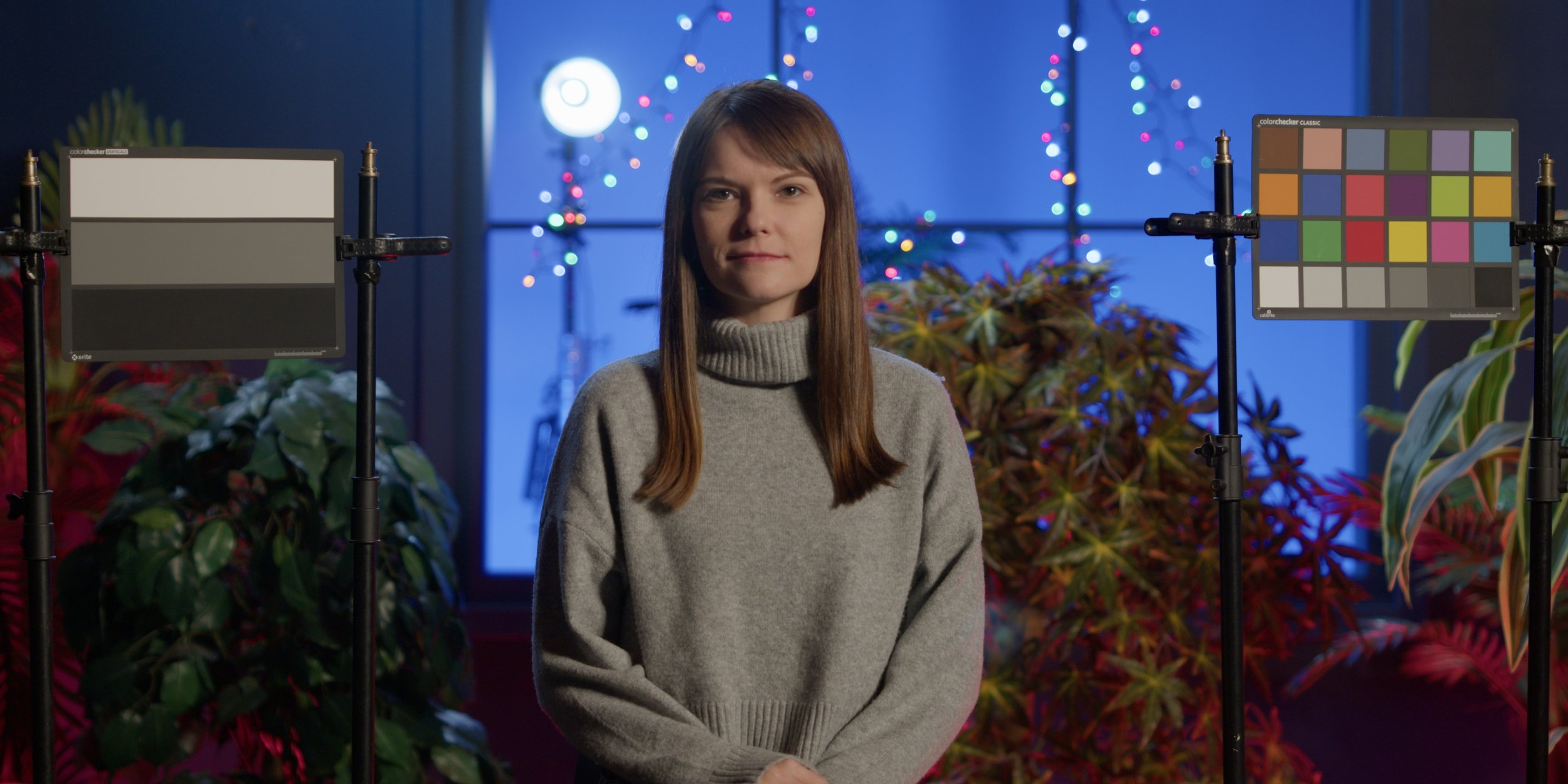
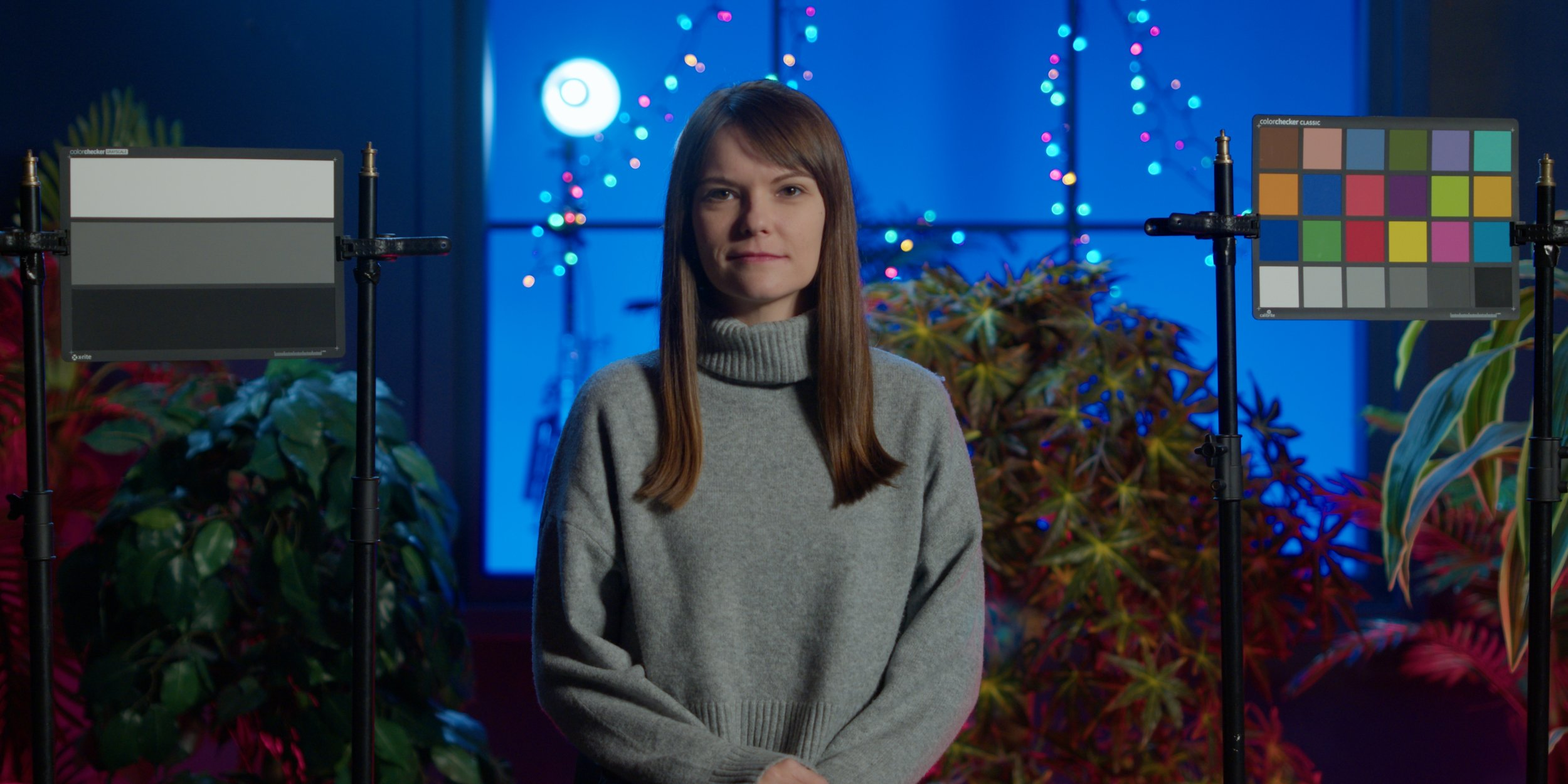
PANASONIC S5H MKII
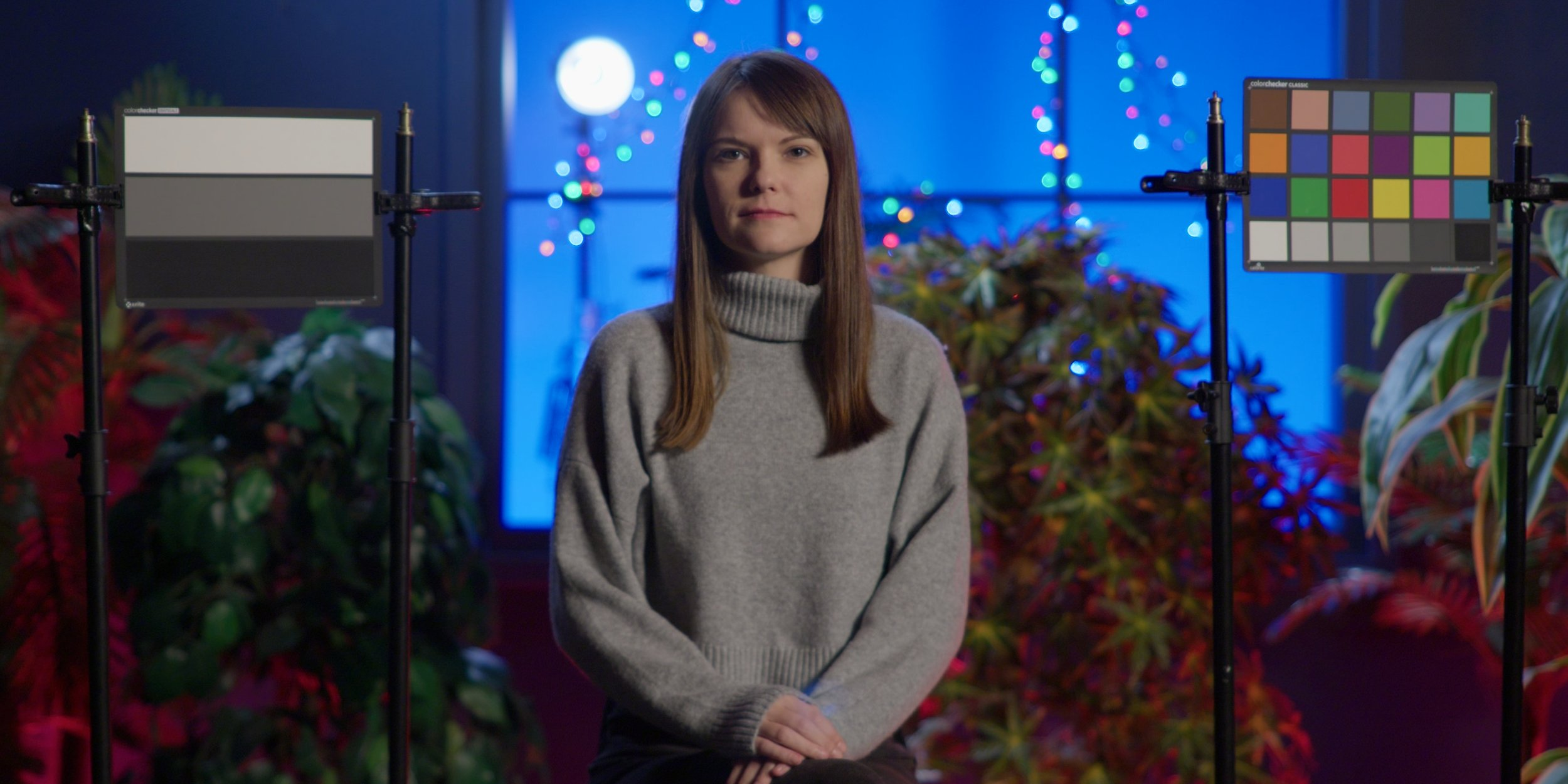
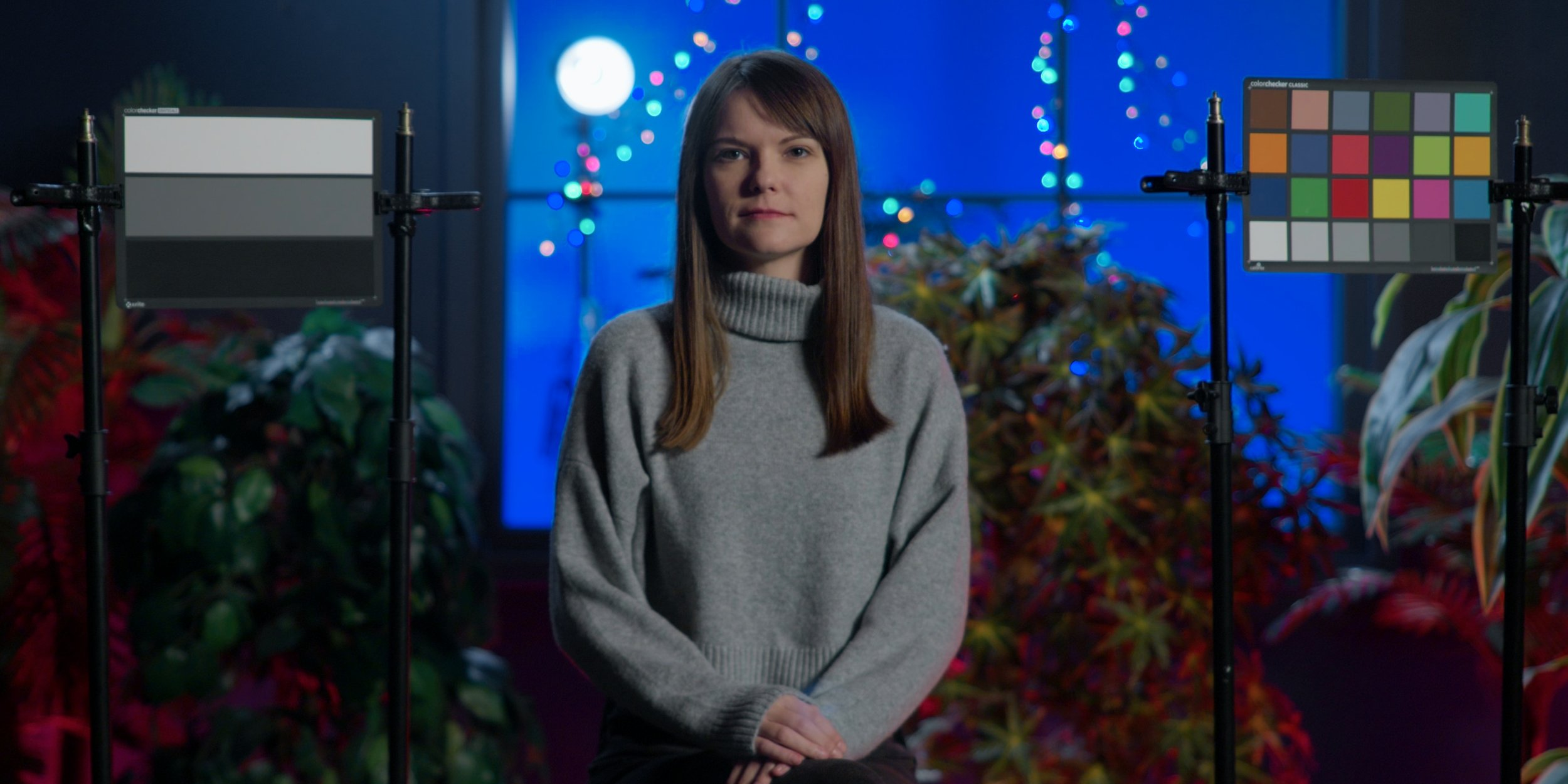
BLACKMAGIC DESIGN POCKET CINEMA CAMERA 4K
06 / THE TEAM
Without whom it would not have been possible.
David Laposi — Producer
Horváth Levente — LUTs, matching, color
Adrián Lungu — 4K Raiders — Cinematographer
Czettele Győző — Rental
Bata Anita — Model
Kanizsai-Nagy Ákos — 1st AC
Mihály Gergő — 2nd AC
Szakál Botond — Behind-the-scenes video
Palatinusz Zsolt — Behind-the-scenes video
Oláh Márk — Photography
Láposi Ferenc — Catering
07 / ARCHIVE NOTES
The complete research background.
The camera descriptions in the original article were created from AI-supported research. The preserved texts below are archive notes, not recent manufacturer data sheets. The previous raffle has ended.
Research documentation and original prompts
The basis of the descriptions was researched by chat GPT!
Look at him if he sometimes says something funny
Of course, I didn't search all the cameras by myself, because I would have had a headache if I had to watch so many videos, especially with devices that I don't work with anyway. However, in general, these devices work about the same, and obviously they can all be tested in terms of image capture. So I specifically prompted the AI to deal with things that are about this test. All this to demonstrate that AI can be used very well for research tasks. Also, I had to put some kind of description around the cameras to make it look a certain way.
So I obviously read through and validated these decisions, as well as formatted a bunch of them, since artificial intelligence can't produce a result that is always 100% even on its own. Therefore, human supervision is always necessary.
Main Prompt
Dear chatGPT, be the best tech enthusiast and specialize in cameras and image processing.
Your general task is to find technical information around a specific camera model based on youtube videos and articles focusing on image capture capabilities and image processing in general. You have three tasks. First, second and third. You will complete them each after each. This is very important GPT: You will not provide any information to the USER, just collect them till the USER will ask you to complete the last task.
Negative prompt: You don't need to share with the USER summaries during the process.
First task
First task: Find 9 relevant tech youtube videos about the specific camera model. Use the plugins (VoxScript) that you have and transcript each full video in chunks and find relevant information about the specific camera model and all around the image processing capabilities of the camera. Please make sure that you use the full transcription of each individual youtuber chunk by chunk. I need you to do each by each and not say to the USER anything until you are done.
Make sure you will search these channels about the specific camera model since these channels are trusted by the USER. Do not browse just these channels, just prioritize them. If you find something specific, use them, if not, move over and find different sources.
https://www.youtube.com/@geraldundone
https://www.youtube.com/@THEDPJOURNEY
https://www.youtube.com/@indymogul
https://www.youtube.com/@ProAVTV
https://www.youtube.com/@MaksimYuryev
https://www.youtube.com/@philipbloom
https://www.youtube.com/@dslrvideoshooter
The way you will do the transcription is the following: First you will find 3 videos and transcribe them in chunks. Afterwards you will ask the USER something like “Can I continue?” The user will answer back yes or no. If the answer is Yes you will find 3 videos and transcribe them in chunks again and ask the USER again. When you transcribe the other 3 then you will repeat this until you reach up to all the videos that the USER said to you.
If this is complicated you can move to the second task.
Second task
You will browse 9 reviews on the internet, and scrape the articles from there.
Negative prompt: You don't need to share with the USER summaries during the process of the 2nd task either.
The way you will do the browse is the following: First you will browse 3 reviews and scrape information. Afterwards you will ask the USER something like “Can I continue?” The user will answer back yes or no. If the answer is Yes you will browse 3 reviews and scrape information and ask the USER again. When you scrape the other 3 then you will repeat this until you reach up to all the reviews that the USER said to you.
Prioritize articles from:
The specific camera model is: RED Wraptor XL 8k
Third task
With all this information from videos and reviews:
Find 7 negatives about the camera which are mentioned in all the video transcripts, reviews, so basically the youtubers and reviews agree on these negatives around the usability and image processing capturing of the camera.
Find 7 positives about the camera which are mentioned in all the video transcripts, so basically the youtubers and reviews agree on these positives around the usability and image processing capturing of the camera.
Give 7 tips around using the camera to provide the best image possible with the highest dynamic range possible. So basically the youtubers and reviews agree on these tipps around the usability and image processing and capturing around the camera.
Remember chatGPT: You have to gather the information based on all opinions, so make sure you use your knowledge from the transcripts and full articles. Please notice the USER if there is any misalignment between any specific topic around sources.
ChatGPT: Give back the end result like this to the USER:
Model: (Specific camera name)
LOG profile: (Recommended LOG profile to use)
Dynamic range: (like “14+ stops”)
Middle gray in %: (like “56% IRE”)
Base ISO: (ISO 800 and if dual native iso then the 2nd step like SO 12800)
RAW?: (It can shoot RAW internally or externally using this and that)
Summary:
(30 sec long summary about the cameras including pros and cons)
Pros:
(7 positives in bullet points)
Cons:
(7 negatives in bullet points)
Tips:
(7 tips in bullet points)
Thanks ChatGPT. Be a good GPT and you will continually get rewarded and earn my trust since I love you to help me with these tasks.
Voxscript By allwiretech.com
CAMERAS
RED v-raptor xl 8k
Panasonic EVA1
Sony FX3
Sony a7IV
Panasonic Lumix S1H
Sony a6400
DJI mavic pro 3
Panasonic Lumix GH6
Sony A7s III
Black Magic Ursa mini 12k
Canon EOS R5
DJI Ronin 4D 6K
Sony fx6
PANASONIC LUMIX BGH1
Panasonic LUMIX S5 II
Sony a1
Blackmagic Pocket Cinema Camera 4K
Blackmagic Pocket Cinema Camera 6K G1-2
LAB tests were provided by Cine-D.
https://www.cined.com/lab-tests/
DJI Ronin 4D 6K Lab Test
Sony A1 Lab Test
Sony a7S III Lab Test
Sony a7 IV Lab Test
Panasonic S1H Lab Test
Panasonic LUMIX GH6 Lab Test
URSA Mini Pro 12K Lab Test Part 2
The pictures were taken with Midjourney. It was really exciting to prompt. There are generators for that. I love this, simple and great.
The camera challenge (closed)
This challenge has ended. The announcement below is preserved as part of the original study; it is not a current invitation to enter or an offer of a course place.
raffle!
Play Davinci Resolve - Accelerator or davinci resolve advanced to participate
Dear Film Community!
We're excited to announce that we've created a challenge that will really test your filmmaking skills and your guts! In this special prize game, together with my friend Levi Horváth, who was also the designer of matches and lots, we show the door to expensive and pointless investments and put the emphasis on what we believe in:
With proper knowledge, all cameras can produce almost the same image quality.
This game not only entertains, but also teaches: this entire page contains our decisions and descriptions of our processes/experiences. Our prize draw is both simple and exciting.
Download camera images
We compared 18 different cameras, each aligned with a Red V Raptor XL 8K camera. Can you guess which camera belongs to which brand/type?
Let the game begin
The winner will win a free one-time opportunity to attend our DaVinci Resolve Accelerator or DaVinci Resolve Advanced online workshops. You can find a more detailed description of both courses on our website, where you can learn more about them.
“Mi magunk is nehezen különböztetjük meg a kamerákat.
Can you make it?”
How can you win? Download the images and submit your tips via our Google form. Although we ourselves have a hard time distinguishing the cameras, we hope that you will succeed! The player with the most correct guesses wins the free seat.
DaVinci Resolve - Accelerator
DaVinci Resolve - Advanced
Join the community and comment below the post.
Davinci resolve Hungary - Facebook group
At the beginning of the game, we will share the final result, and at the end of the game, the original (LOG/RAW) and before/after matched, from camera LOG to rec709 images, as well as a creative SHOW LUT, for each camera! With these, you can also reproduce our results.
Free LOG to Rec 709 base LUT, for all (18) cameras, which includes the official 709 parameters of our preferred Davinci Resolve, i.e. a strong technical starting point, + pictures of the result.
Free test LOG/RAW *.tif files, in the original size, for all (18) cameras so that you can reproduce our results, or use them as a reference to test your own settings, in a development environment + pictures of the result.
Free creative SHOW LUT, for all (18) cameras, LOG to rec709, which is a favorite of many, Teal and Orange, a slightly softer modern version of Kodak2383 modified by us. It contains the official 709 parameters of our preferred Davinci Resolve + images of the result.
All elements are platform-independent, so they can be used in any program, be it Premiere, Final Cut or even Avid.
The game ended with the results as follows:
Download all results
RED v-raptor xl 8k
Model: RED V-raptor XL 8k
LOG profile: LG310 IPP2 Color science.
Dynamic Range: About 15+ stops.
Middle gray in IRE %: 33% IRE.
BASE ISO: iso 800.
RAW: Yes.
The RED v-raptor XL 8k is a high-end camera that boasts an 8K Vista Vision sensor, offering exceptional image quality and wide dynamic range. It is designed for professional studio environments and high-end productions, with a robust structure, integrated inputs and outputs, and an internal ND filter system.
Advantages:
https://apps.apple.com/us/app/camerakit-camera-tools/id890528993
Exceptional image quality: 8K resolution with a Vista Vision sensor provides impressive detail and clarity.
High dynamic range: More than 17 stops, ideal for challenging lighting conditions.
Versatile frame rates: Capable of high frame rates, including 8K at 120 fps.
Robust structure: Designed for professional use, with a durable construction.
Integrated ND filters: Built-in electronic ND system for accurate exposure control.
Flexible Power Options: Supports conventional and high voltage batteries.
Advanced connectivity: Multiple inputs and outputs for full setup options.
Disadvantages:
Size and weight: Larger and heavier, less ideal for handheld or gimbal use.
Complexity: Can overwhelm solo operators or smaller productions.
Price: High price, more suitable for high-budget productions.
Storage requirements: High-resolution recordings require a significant storage capacity.
Learning curve: Advanced features and settings take time to master.
Limited modularity: Less modular than previous RED models.
Power consumption: High performance functions can result in significant power consumption.
Tips for getting the best image quality:
Optimal exposure: Take advantage of the camera's wide dynamic range with midtone exposure.
Lens selection: Choose lenses that fully cover the Vista Vision sensor to avoid vignetting.
RAW workflow: Shoot in RAW for maximum post-production flexibility.
Battery management: Use of high-voltage batteries to power longer recording times and additional accessories.
Cooling Considerations: Be aware of the camera's cooling needs, especially in hot environments.
Firmware Updates: Update your camera's firmware regularly to access new features and fixes.
Use ND: Take full advantage of built-in ND filters to control accurate exposure, especially in changing lighting conditions.
Sony FX3
Model: Sony FX3 (ILME-FX3)
LOG Profile: for S-Log3/S-Gamut3.cine and S-Cinetone profiles.
Dynamic Range: About 15+ stops, offering wide latitude for coloring.
Middle Gray IRE in %: Typically around 41% IRE for S-Log3, but this may vary depending on specific shooting conditions. It is often overexposed by 1.33 EV if the dynamics allows, which is about 55% IRE.
Base ISO: ISO 800; Dual Native ISO with a second step at ISO 12800 for enhanced low-light performance.
RAW: The Sony FX3 can shoot in RAW with external devices like the Atomos Ninja V.
The Sony FX3 is a compact camera that combines the features of mirrorless cameras with professional video capabilities. It performs well in low light and offers a high dynamic range, making it suitable for a wide range of filmmaking scenarios, see The Creator. The camera's robust construction, advanced autofocus system and user-friendly interface are praised. However, it also faces limitations, with potential overheating and limited screen visibility in bright environments. The lack of an electronic viewfinder and compatibility issues with non-Sony lenses are also worth noting. Ideal for filmmakers looking for portability without sacrificing quality.
Advantages:
Compact and portable: Ideal for run-and-gun filmmaking.
Exceptional Low Light: Excellent image quality in challenging scenes.
High Dynamic Range: 15+ stops for detailed coloring. Wide S-gamout3.cine scene.
Advanced Autofocus: With features like eye tracking.
User-friendly Interface: Intuitive controls and menu system.
Robust Build Quality: Durable and suitable for professional environments.
Dual Native ISO: Enhances performance in varied lighting conditions.
Disadvantages:
https://apps.apple.com/us/app/camerakit-camera-tools/id890528993
Potential Overheating: May occur in hot unventilated environments.
Limited Screen Visibility: Difficult to see in bright outdoor conditions.
No Electronic Viewfinder: Limits flexibility when shooting.
Lens Compatibility: Limited to non-Sony lenses.
External Recorder Required for RAW: No internal RAW recording capability.
Cost Consideration: Relatively high cost for filmmakers.
Tips:
Use S-Log3: For maximum dynamic range; pay attention to the exposure.
External Recording in RAW: For higher quality output, use tools like Atomos Ninja V.
Lens Choice: Choose lenses that complement the FX3's capabilities, especially in low light.
Custom White Balance: Set manually for consistent coloring.
Invest in Quality ND Filters: Essential for controlling exposure in bright conditions.
Firmware Updates: Keep your camera up to date for new features and fixes.
Panasonic EVA1
Model: Panasonic AU-EVA1
https://www.provideocoalition.com/review-panasonic-au-eva1-4k-cine-camera-part-2/
LOG profile: V-Log/V-Gamut
Dynamic range: Up to 14 stops
Middle Gray IRE %: About 42% IRE for V-Log
BASE ISO: ISO 800 (DUAL Native ISO with a second native at ISO 2500)
RAW: Yes, it can shoot in 5.7K RAW externally with compatible recorders, offering flexibility in post-production.
Summary:
The Panasonic AU-EVA1 is a broadcast-style but compact machine celebrated for its exceptional image quality and versatility. It provides a bridge for filmmakers looking for high-level recording capabilities without having to deal with the bulk of larger systems. With a Super 35mm sensor and up to 5.7K resolution, the EVA1 offers detailed and dynamic shots. With a dynamic range of up to 14 stops and V-Log/V-Gamut, it records a wide color spectrum and subtleties ranging from shades to highlights, so it is also suitable for HDR content. Dual native ISO of 800 and 2500 ISO provides excellent performance in various lighting conditions while maintaining a clean signal-to-noise ratio. Although it does not have built-in RAW recording, its external RAW capabilities, such as with Atomos tools, open up a high degree of flexibility for post-production processes.
Advantages:
https://apps.apple.com/us/app/camerakit-camera-tools/id890528993
Exceptional image quality with a dynamic range of up to 14 stops
DUAL Native ISO for flexible shooting in a variety of lighting conditions
Compact and lightweight design for handheld and gimbal use
External 5.7K RAW recording capabilities for maximum post-production flexibility
Wide selection of internal codecs and frame rates, including 4K 10-bit 4:2:2 recording
Up to 240 fps in 2K RAW for high-speed shooting when recording externally
Built-in ND filters.
Disadvantages:
No built-in RAW recording, only external.
Autofocus performance may not meet the needs of all users
The built-in monitor has been criticized for its performance in bright conditions
For some users, the EF lens mount may seem restrictive compared to newer mount options
A magas ISO-knál a zajt óvatosan kell kezelni. A dinamika is visszaesik.
Tips:
Take advantage of dual native ISO to optimize image quality in different lighting conditions.
Take advantage of external RAW recording options for projects that require the highest post-production flexibility.
Use additional monitors or EVFs to assess critical focus and exposure, especially in bright conditions.
Update the firmware regularly to access improved features and codecs.
Sony a7IV
Model: Sony A7IV
LOG profile: S-Log3/S-Gamut3.cine and S-Cinetone profiles.
Dynamic Range: As “14+ stops”: Using S-Log3.
Middle Gray IRE %: Middle Gray at 32% IRE for S-Log2 and 41% IRE for S-Log3. Recommended to overexpose 1.33 EV under 55% IRE.
BASE ISO: ISO 800 for S-Log2 and S-Log3: DUAL NATIVE second stage ISO 3200.
RAW: None. External RAW recording capabilities via HDMI.
The Sony A7IV is presented as a powerful hybrid camera for both photo and video professionals. Its advanced autofocus system, improved ergonomics and strong video capabilities are a significant improvement over its predecessor.
Advantages:
Improved 33MP sensor: for higher resolution images.
Advanced autofocus system: with eye detection for people and animals.
4K 60p video capability with 10-bit color depth. It also offers internal 10-bit 4:2:2 recording.
Improved ergonomics with a fully articulating touchscreen.
Dual card slot that supports CFexpress Type A and SD UHS-II cards.
S-Cinetone color filter profile for a cinematic look directly accessible from the camera.
High ISO performance with effective noise reduction.
Disadvantages:
Increased price compared to A7III.
Crop when recording 4K 60p video.
Possible rolling shutter effects in certain scenarios.
Limited improvement in battery life.
Some advanced video features may require additional accessories.
Increased weight and size may affect portability.
The complexity of the menu options can overwhelm new users.
Tips:
Maximize Dynamic Range: Use S-Log3 with recommended mid-gray IRE for extensive post-production flexibility.
Optimal ISO settings: Use the camera's default ISO for S-Log2 and S-Log3 to minimize noise.
Customize autofocus: Customize AF settings to match your subject, taking advantage of the A7IV's versatile autofocus modes.
Battery management: Carry spare batteries for longer shoots or consider using a battery grip for better ergonomics and improved battery life.
External recorder for RAW: Use an external recorder to capture RAW video for the highest post-production quality and flexibility.
Stay up-to-date: Keep your camera firmware updated to access the latest Sony features and fixes.
https://apps.apple.com/us/app/camerakit-camera-tools/id890528993
Panasonic Lumix S1H
Model: Panasonic Lumix S1H
LOG profile: V-Log/V-Gamut
Dynamic range: more than 14 stops according to Panasonic
Middle gray in IRE %: Middle gray for V-Log is usually set at 42% IRE for S1H,
BASE ISO: Dual Native ISO, ISO 640 and ISO 4000, provides excellent low-light performance.
RAW: No internal. But the S1H can shoot in RAW when paired with an external recorder.
The Panasonic Lumix S1H stands out as an extraordinary mirrorless camera focused on high-end video production. It offers stunning image quality, extensive video recording options, including 6K video, and a robust build quality designed for professional use. The inclusion of V-Log, dual native ISO and external RAW recording capability make it a versatile tool for filmmakers looking for cinematic quality and flexibility. Its low-light performance and dynamic range capabilities ensure it holds its own in a wide range of shooting conditions, making it the first choice for serious videographers and filmmakers.
Advantages:
Exceptional video quality in up to 6K resolution.
Dual Native ISO provides excellent low-light performance.
V-Log and wide dynamic range for cinema post-production flexibility.
Robust build quality and weatherproofing for long-lasting use in challenging environments.
Advanced video features including anamorphic support, timecode and high frame rate recording.
Disadvantages:
Autofocus performance can lag behind the competition, especially in video mode.
The complicated menu system can be a steep learning curve for new users.
Larger and heavier body compared to other mirrorless cameras, which can affect portability.
Battery life can be a concern during intensive video recording without a power source or spare batteries.
High price point, reflecting its positioning as a pro-level camcorder.
Tips:
Take advantage of dual Native ISO: In changing lighting conditions, especially in low light conditions.
Using V-Log: Shooting in V-Log maximizes dynamic range; use exposure tools like zebras and histograms to set the exposure perfectly.
External RAW recording: For maximum post-production flexibility, use an external recorder to capture RAW video.
Splurge on quality glass (lol chat gpt): The S1H's full-frame sensor requires high-quality lenses to fully exploit its image quality potential.
Familiarize yourself with the menus: Take the time to familiarize yourself with the menu system to quickly access the camera's extensive video features.
Manage battery life: Plan energy needs during longer shoots, taking into account external power solutions or spare batteries.
Sony a6400
Sony A6400
That is the test of the 6700 camera. It's similar for the entire A6400 lineup up.
LOG profile: S-Log3/S-Gamut3.cine and S-Cinetone profiles.
Dynamic range: offers 14 stops of dynamic range when recording in S-Log3.
Middle gray IRE %: It is typically set to 32-40% IRE for S-Log2 and S-Log3, in which case it may be worthwhile to use a needle exposure of 60 IRE +2 EV.
BASE ISO: ISO 800
RAW recording?: The Sony A6400 does not shoot RAW video.
The Sony A6400 is a robust and compact mirrorless camera that stands out with its advanced autofocus system, impressive 4K video capabilities and versatile recording options. Designed for content creators and vloggers, it offers a tilting screen for selfies and vlogging, making it a popular choice for on-the-go shots. Despite its compact size, it provides very good image quality, making it suitable for both stills and video production.
Advantages:
Advanced Autofocus System: Real-time eye AF and tracking capabilities for both humans and animals.
Excellent 4K Video Quality: Upsampled from 6K for higher detail and clarity.
Compact and Lightweight Design: Ideal for travel and everyday photography. 180 Degree Tiltable LCD Screen: Makes vlogging and taking selfies easier.
High ISO Performance: Effective noise reduction up to ISO 32000.
Fast Burst Shooting: With up to 11 fps autofocus tracking, unusual in this price category.
Disadvantages:
No In-Body Image Stabilization (IBIS): Stabilized lenses are required for best results.
Complicated Menu System: Navigation may be difficult for new users.
Limited Touch Screen Functionality: Touch screen capabilities are not fully utilized.
No Headphone Jack: Limits audio monitoring capabilities when recording video.
Rolling Shutter Effect: Noticeable in certain video recording scenarios.
Limited External Controls: Some users want more direct access to settings.
No Weatherproofing: Not ideal for shooting in adverse weather conditions.
Tips:
Use Customizable Buttons: Customize buttons for quick access to frequently used settings like autofocus mode or white balance.
Splurge on Quality Lenses (omg again): Choose lenses with Optical SteadyShot (OSS) to compensate for the lack of IBIS.
External Audio Solutions: Use external microphones and audio recorders to improve the sound quality of your video production.
Battery Management: Carry spare batteries for longer shooting days, especially when recording 4K video.
Post-production: Take advantage of detailed 4K footage in post-production to crop or stabilize images without significant quality loss.
Firmware Updates: Update your camera's firmware regularly to access the latest features and fixes.
DJI mavic pro 3 Hasselblad
DJI Mavic 3 cine Pro Hasselblad
https://apps.apple.com/us/app/camerakit-camera-tools/id890528993
LOG Profile: D-Log M (no official white paper, cannot be converted)
Dynamic range: "12+ stops"
Middle gray IRE in %: "38% IRE" (Estimated value based on standard LOG profiles; Mavic 3 Pro specific values may differ)
BASE ISO: ISO 400 for D-Log (specific when using D-Log M)
RAW: No RAW video, Cine version with ProRes video support, supports RAW for photos;
The DJI Mavic 3 Pro Hasselblad stands out in the drone market with its exceptional image quality, which is provided by a Hasselblad camera and advanced image processing capabilities. Its three-camera system (Zoom) provides unparalleled versatility in aerial photography and videography, and produces detailed images. Despite its premium features, the Mavic 3 Pro has been criticized for its high price and complexity for casual users. However, its robust construction, obstacle avoidance system and long battery life make it an excellent choice for those looking for the best in aerial imaging.
Advantages:
Exceptional image quality: Thanks to the Hasselblad camera.
Versatile three-camera system (ZOOM): Provides creative recording options.
High dynamic range compared to its competitors: Ensures detailed shadows and highlights.
Robust obstacle avoidance: Increases flight safety.
Long battery life: Supports longer recording sessions.
Advanced image processing: offers D-Log M and ProRes recording options.
Stable flight performance: Ensures smooth shots.
Disadvantages:
High price: May deter hobby users.
Complexity for casual users: Steep learning curve.
Limited D-Log M and HLG availability: Not described, not transformable
Digital zoom quality: Beyond the limits of optical zoom, but not satisfactory.
Weight and Size: Less portable than smaller drones.
Dependency on DJI Fly app: Required for some advanced features.
Limited Third-Party Accessory Compatibility: Due to custom design.
Tips:
Use ND filters: To control exposure and achieve motion blur.
Take advantage of D-Log M for post-production: Use DCI P3 for closer mathematical conversion.
Watch your battery life: Plan your flights with extended battery life in mind.
Practice obstacle avoidance: Get to know your skills.
Use manual settings: For optimal imaging control.
Stay up-to-date with firmware: To get access to the latest features and improvements.
Panasonic Lumix GH6
Panasonic Lumix GH6
LOG Profile: V-Log/V-Gamut
Dynamic range: Up to 13 stops (Dynamic range with Boost)
Middle Gray in % IRE: 42% IRE (standard for V-Log)
BASE ISO: ISO 800 (V-Log has DUAL native ISO: 800/2000)
RAW: None, although compatible with external recorders such as the Atomos Ninja V in ProRes RAW format.
The Panasonic Lumix GH6 is a powerhouse for videographers, offering unparalleled flexibility in video formats and resolutions, including 5.7K 60p and 4K 120p recording. It features significant improvements such as Dynamic Range Boost, internal ProRes recording, and improved image stabilization. It excels in its video capabilities, but performs less well in stills dynamic range below ISO 800 and has a limited autofocus system in video mode. Its design and ergonomics are tailored for video production, with features that provide reliability and creative versatility.
Advantages:
Exceptional video quality: Offers high-resolution video recording up to 5.7K at 60fps and 4K at 120fps with minimal rolling shutter.
Versatile video formats: Supports internal ProRes recording, providing high-quality recordings for professional post-production.
Dynamic Range Boost: Improves dynamic range in challenging lighting conditions, especially useful in V-Log mode.
Comprehensive video tools: Includes waweform, vectoroscopes, meeting the needs of professional video.
Reliable design: The inclusion of a cooling fan ensures continuous performance during longer recording sessions.
Disadvantages:
https://apps.apple.com/us/app/camerakit-camera-tools/id890528993
Dynamic range limitations for stills: Below ISO 800, dynamic range is less impressive, limiting flexibility in post-production.
Battery life: Shorter than its predecessor, requiring spare batteries for longer recordings.
Complicated high frame rate settings: Manual settings are required, such as turning DR Boost on/off, when switching high frame rates.
Manual focus: Due to the challenges of autofocus for video, users may prefer to rely on manual focus, which can be cumbersome.
Limited autofocus in video: Some users reported autofocus instability and hunting during video recording.
Zoomed Live View Quality: The focus assist feature has been reported to have low resolution, making it difficult to check critical focus.
Tips:
Take advantage of Dynamic Range Boost: Activate DR Boost in challenging lighting to maximize dynamic range, especially in V-Log mode.
Optimize your ISO settings: Use DUAL native ISO (800/2000) wisely to reduce noise and improve image quality, especially in low light.
Use V-Log for flexibility: Rotate in V-Log for maximum dynamic range and more flexibility for coloring in post-production.
Manual focus assist: Use focus highlight and zoom view (despite its limitations) to help achieve sharp manual focus.
Battery management: Carry spare batteries and consider using a power bank for longer recording sessions, especially when shooting 4K/5.7K or using high frame rates.
External recorder for RAW: For the highest quality video, use an external recorder that supports ProRes RAW, unlocking the full potential of the GH6.
Customized video modes: Use the "My List" function to quickly access your most used video settings, simplifying the recording process.
Sony A7s III
Sony A7sIII
LOG Profile: S-Log3/S-Gamut3.cine and S-Cinetone profiles.
Dynamic range: 14+ stops. With the S-LOG3, users can exploit the camera's full dynamic range potential.
Middle Gray in IRE %: Official 41 %IRE overexposed to about 56% IRE.
BASE ISO: Dual native ISO 800 - 12800 (S-LOG3)
RAW: The A7sIII can send 16-bit RAW via HDMI to compatible external recorders such as the Atomos Ninja V.
The Sony A7sIII is a revolutionary camera for video production, offering unmatched low-light performance, advanced autofocus and powerful 10-bit 4:2:2 internal recording. Although it excels in its capabilities, the high price of the camera and the subtle advantages of 10-bit recording in practical situations are important considerations for potential users. Its comprehensive features, including high dynamic range and dual native ISO, make it a favorite among professionals looking for a versatile tool in cinematography and content creation.
Advantages:
Exceptional low-light performance: enables clear shots in almost any lighting condition.
Advanced autofocus system: with real-time tracking for reliable subject capture.
High dynamic range: with S-LOG3, offers detailed highlights and shadows.
10-bit 4:2:2 internal recording, providing rich coloring options.
Minimal rolling shutter, thanks to the fast reading speed of the sensor.
Effective image stabilization helps smoother handheld shooting.
Dual native ISO, improves noise performance in different lighting scenarios.
Disadvantages:
https://apps.apple.com/us/app/camerakit-camera-tools/id890528993
The complexity of 10-bit editing, which can demand more from post-production processes. Free resolve excluded.
The subtle differences between 10-bit and 8-bit recording may not justify the file size and workflow for all users.
High price, positioned as a significant investment for professionals.
Limited resolution for still images at 12MP, which may not satisfy all photographic needs.
Autofocus jitter is possible in low-contrast situations.
The RAW video function cannot take full advantage of RAW due to current limitations. (sharpen lock)
Tips:
Use S-LOG3 for maximum dynamic range, but be prepared for a more intense coloring process.
Experiment with both 10-bit and 8-bit recording to understand their practical impact on your workflow.
Take advantage of dual native ISO to optimize noise performance in different lighting conditions.
Use manual focus with AF-ON for static shots to avoid autofocus jitter.
Use manual white balance in mixed lighting for consistent color accuracy.
Consider external recorders for 16-bit RAW output when the highest quality is required.
Familiarize yourself with the camera's extensive menu system to quickly access and adjust settings tailored to different shooting conditions.
Blackmagic URSA Mini Pro 12K
Blackmagic URSA Mini Pro 12K
LOG Profile: Blackmagic Design Film Log gen5
Dynamic range: 14+ stops
Middle Gray IRE in %: About 46.4 IRE (according to Blackmagic's false color guide)
BASE ISO: ISO 800 (secondary base ISO is usually around 3200 for low light conditions)
RAW: Yes, it can shoot in Blackmagic RAW internally.
The Blackmagic URSA Mini Pro 12K is a revolutionary digital film camera that offers unparalleled resolution and image quality. It has a 12K Super 35 sensor that provides impressively detailed footage, ideal for high-end productions and VFX work. The camera's unique sensor design and Blackmagic 5th generation color science ensure excellent color reproduction and dynamic range. However, its high-resolution capabilities come with some limitations in terms of file size and workflow requirements.
Advantages:
https://apps.apple.com/us/app/camerakit-camera-tools/id890528993
Unrivaled 12K resolution for exceptional detail and cropping flexibility.
The Blackmagic RAW format offers extensive post-production flexibility.
High frame rates (up to 240 fps in 4K) for stunning slow motion.
Robust build quality and professional-grade controls.
Interchangeable lens mounts (PL, EF, F) for the versatility of the lens selection.
Efficient workflow integration with DaVinci Resolve for cutting and coloring.
Disadvantages:
Large file sizes due to 12K resolution that require extensive storage solutions.
Limited low-light performance compared to other cinema cameras.
Exclusive use of Blackmagic RAW format, no ProRes or H.264 options.
No continuous autofocus or advanced autofocus features.
A high level of computer power is required to edit and colorize 12K video.
Limited screen movement and no built-in image stabilization.
High cost of ownership, including necessary accessories and storage equipment.
Tips:
Optimum exposure: Use false color and zebra patterns for accurate exposure, try to slightly overexpose the midtones.
Lens selection: Choose high-resolution lenses to match the capabilities of the 12K sensor.
Storage Management: Invest in high-capacity, fast storage devices and backup solutions.
Colorization: Take advantage of DaVinci Resolve's extensive colorization tools to maximize dynamic range and color fidelity.
Use high frame rates: Use high frame rates for creative slow motion effects, taking into account lighting requirements.
Noise management: Shoot at a low ISO (800 or below) to minimize noise, especially in low light.
Workflow Efficiency: Design an efficient post-production workflow considering the file size and computing requirements of 12K recordings.
Canon EOS R5
Canon EOS R5
https://www.cined.com/canon-eos-r6-lab-test-rolling-shutter-dynamic-range-and-latitude/
Recommended LOG Profile: Canon Log 3 (C-Log 3)
Dynamic Range: About 12.2 stops (as assessed by Gerald Undone)
Middle Gray IRE in %: About 32.8 IRE for C-Log 3
BASE ISO: ISO 800 for C-Log
RAW: Yes, it can (16 bit) but currently 2023.11.01. debaying in Resolve is not yet accurate.
The Canon EOS R5 is a mirrorless camera that excels in both its photo and video capabilities. It offers impressive autofocus, in-body stabilization and oversampled 4K video. However, it has limited dynamic range and rolling shutter, especially in 4K60p mode.
Advantages:
Intuitive and easy-to-use ergonomics: Comfortable grip and the usual Canon menu system.
Effective stabilization: 5-axis stabilization improves handheld shooting.
Impressive autofocus: Includes eye autofocus and reliable tracking.
Oversampled 4K video: Sharp and detailed 4K recordings without additional cropping.
Good low-light performance: Capable of producing clear images at high ISO settings.
No 30-minute recording limit: Enables longer continuous recording in 4K.
Double SD card slot: Offers redundancy and extra storage capacity.
Disadvantages:
https://apps.apple.com/us/app/camerakit-camera-tools/id890528993
Limited dynamic range: Lower than some competitors, which affects shadow detail.
Severe rolling shutter in 4K24p: Can be problematic with certain types of movement.
Features removed from EOS R: No top LCD display and limited video mode options.
Overheating in 4K60: Limits continuous recording time.
Micro HDMI port: Less durable and preferred than full-size HDMI.
8-bit limitation in non-Log profiles: Limits coloring potential.
Tips:
Use C-Log 3 for maximum dynamic range: Set color to Cinema Gamut for accurate colors.
Overexposure in Log mode: Especially in low light or moody scenes to reduce noise.
Stick to full ISO steps: Avoid third-stop increments for clearer images.
Prefer full-field mode in 4K: Use the entire sensor for better image quality.
Be aware of rolling shutter: Avoid fast panning in 4K24p mode..
DJI Ronin 4D 6K
DJI Ronin 4D 6K
https://www.cined.com/dji-ronin-4d-6k-lab-test-rolling-shutter-dynamic-range-and-latitude/
Recommended LOG Profile: Recommended LOG profile is D-Log to achieve the maximum dynamic range.
Dynamic range: The camera offers more than 14 stops of dynamic range.
Middle Gray IRE in %: Typically around 32-34% IRE for D-Log.
BASE ISO: Dual native ISO 800 and 5000.
RAW: Yes, capable of shooting in ProRes RAW internally. Currently (11/01/2023) it is not Resolve compatible.
The DJI Ronin 4D 6K is a revolutionary camera that integrates a full-field sensor with a 4-axis gimbal, offering unparalleled stabilization and image quality. A versatile tool for filmmakers that combines the capabilities of a high-end camera with the mobility of a gimbal system. The camera supports various recording formats, including ProRes RAW and ProRes 422HQ, and offers a unique lidar-based autofocus system.
Advantages:
Integrated 4-axis stabilization: Exceptional recording provides stabilization.
High-quality image recording: The full-frame 6K sensor provides excellent image quality.
Advanced autofocus system: Uses lidar for precise focusing.
Interchangeable Lens Mounts: Offers flexibility in lens selection.
High dynamic range: More than 14 stops, ideal for post-production.
DUAL native ISO: Excellent low-light performance with minimal noise.
User-friendly interface: Intuitive controls and customizable settings.
Disadvantages:
Rolling shutter issues: Noticable in certain scenarios.
Battery life: Relatively short, requires frequent replacement or charging.
Weight: Heavier than typical gimbals, which can be challenging for extended handheld use.
Price: High price, especially with additional accessories.
Startup time: Longer than average, which can be uncomfortable in a fast-paced environment.
Autofocus limitations: The lidar system will struggle in certain conditions.
Tips:
Use D-Log: To exploit the camera's full dynamic range.
Proper exposure: Use tools like false color and waveform for accurate exposure.
Lens calibration: Calibrate lenses regularly for optimal focusing performance.
Stabilization Fine-Tuning: Fine-tune the gimbal for different scenarios.
Battery management: Keep spare batteries ready or use external power sources for longer shoots.
Optimal ISO settings: Use dual native ISO (800 and 5000) to balance noise and exposure.
Sony fx6
Sony FX6
LOG Profile: S-Log3/S-Gamut3.cine and S-Cinetone profiles.
Dynamic Range: About 14+ stops.
Middle Gray IRE in %: Typically set around 32%-42% IRE for S-Log3. It is recommended to overexpose up to 55% IRE.
BASE ISO: DUAL NATIVE base ISO 800 and 12,800 for best noise performance.
RAW: Internal solution not supported. Capable of 16-bit RAW output externally via SDI.
The Sony FX6 is a compact full-frame cine camera that bridges the gap between the high-level capabilities of cine cameras and the portability and ease of use of mirrorless systems. Offering exceptional image quality, advanced autofocus capabilities and versatile recording formats, it can be used in a wide range of professional video production environments.
Advantages:
Exceptional low-light performance: DUAL native ISO provides excellent noise performance at low and high sensitivities.
Advanced autofocus: Reliable and fast hybrid AF system including face and eye detection.
Compact and lightweight design: Offers the flexibility of a mirrorless camera with the feature set of a cine camera.
No recording time limit: Enables continuous recording without overheating concerns.
High frame rate capabilities: Up to 120fps in 4K and 240fps in HD for slow motion.
Versatile recording formats: Supports 10-bit 4:2:2 All-Intra and external 16-bit RAW.
Built-in electronic variable ND filter: Provides smooth exposure control in changing light conditions.
Disadvantages:
Complicated menu system: Compared to other Sony cameras, navigation can be difficult.
No built-in IBIS: Lacks in-body stabilization, requires external solutions for handheld shooting.
Limited Touch Screen Features: The touch screen capabilities are not fully utilized, especially in terms of autofocus.
Mild cropping at high frame rates: 1.1x cropping factor applies when shooting above 60fps.
Audio Input Limitations: XLR inputs are located on the detachable handle, limiting audio input options when the handle is removed.
Autofocus performance at high frame rates: Some limitations in autofocus capabilities when shooting in S&Q mode.
Ergonomics for handheld use: The compact size can be a challenge for steady handheld shooting without additional rigs.
Tips:
Take advantage of S-Logo: To exploit the full dynamic range of the camera.
Proper exposure: Use tools like false color and waveform for accurate exposure.
Lens calibration: Calibrate lenses regularly for optimal focusing performance.
Battery management: Keep spare batteries ready or use external power sources for longer shoots.
Optimal ISO settings: Use dual base ISO (800 and 12,800) to balance noise and exposure.
Button customization: Quickly access frequently used settings and functions with personalized button layouts.
PANASONIC LUMIX BGH1
PANASONIC LUMIX BGH1
LOG Profile: The use of V-Log L is recommended. LOG is not described, so transforming it can be problematic.
Dynamic Range: About 13 stops, improved in this model compared to previous versions.
Middle Gray in % IRE: Typically 42% IRE in V-Log L for LUMIX series.
BASE ISO: DUAL Native ISO 400 and 2500, providing flexibility in different lighting conditions.
RAW: The camera supports external RAW recording capabilities with compatible devices such as the Atomos Ninja V.
The PANASONIC LUMIX BGH1 is a modular, BOX-style camera that stands out for its versatility in professional video production environments. It inherits the acclaimed sensor technology features of the GH series, such as the GH5S, and expands on them with a compact, customizable design suitable for a variety of cinema and live broadcast uses. With double native ISO, V-Log L and 13 stops of dynamic range, it offers excellent image quality even in challenging lighting conditions. However, its boxy design and lack of a built-in monitor or EVF may not be for everyone.
Advantages:
Excellent low-light performance thanks to DUAL native ISO technology.
Highly customizable and adaptable to different rigs and setups.
Compact and lightweight, it's perfect for drones, gimbals, and tight spaces.
It supports professional video codecs and formats, including 10-bit 4:2:2 C4K/4K.
Robust connection options (SDI, HDMI, USB-C, Wi-Fi and Bluetooth) for a wide range of professional use.
Unlimited recording capability with an active cooling system.
Supports external RAW recording for maximum post-production flexibility.
Disadvantages:
No built-in monitor or EVF, requires external devices to operate.
The autofocus system may not perform as well as phase-detection systems in low light or with fast-moving subjects.
No in-body stabilization, requires stabilized lenses or external stabilization for handheld shooting.
Handling and usability can be challenging without accessories due to the boxy design.
Battery not included; external energy sources are often required.
Initial setup and operation can be complicated and require extra learning.
It is primarily designed for video, so it is less suitable for taking still images.
Tips:
Use DUAL native ISO wisely: Low ISO in bright conditions and high ISO in low light to maximize image quality.
Take advantage of V-Log L for dynamic range: Shoot in V-Log L to capture the most detail in highlights and shadows, ensuring correct mid-gray exposure.
External Monitor/Recorder: Use an external monitor or recorder not only for composition and sharpness, but also for higher quality codecs and RAW recording.
Camera Mounting: Customize your camera with cages, handles and mounts to suit your shooting style and needs, improving handling and versatility.
Power solutions: For longer shoots, consider external power sources such as V-mount batteries or continuous power via USB-C/POE+.
Sony a1
Sony A1
LOG Profile: S-Log3/S-Gamut3.cine and S-Cinetone profiles.
Dynamic Range: The camera offers impressive dynamic range, some reviews say around 14+ stops.
Middle Gray in % IRE: Typically around 32-40% IRE in S-Log3. It is worth overexposing to 55% IRE.
BASE ISO: ISO 800 in S-Log3, not communicated DUAL native second stage: ISO 4000
RAW: The Sony A1 can shoot in RAW both internally and externally, offering high-quality video output and flexibility in post-production.
The Sony A1 is a flagship that combines high-resolution imaging with fast performance. Capable of 50MP photography at up to 30fps and 8K video recording, it is versatile for both photography and video. The camera's advanced autofocus system, high dynamic range and professional video features such as S-Log3 and S-Cinetone make it a top choice for professionals. However, its high price may be an obstacle for some users.
Advantages:
Exceptional image quality with a 50MP sensor.
Fast autofocus and effective subject tracking.
High speed burst capabilities.
Versatile for different photography styles, including sports and landscapes.
Professional quality 8K and 4K video recording. (8k 4:2:0 4k 4:2:2)
Robust build quality with weatherproof seal.
Double card slot, with CFexpress and SDXC support.
Disadvantages:
High cost, less accessible to average consumers.
Complicated menu system that can be difficult to navigate.
The quality of the rear display could be improved.
8K video recording can quickly drain the battery.
Some features may be overkill for non-professional users.
The size and weight of the camera may make it difficult for some.
Limited improvement in image quality at the lower end of the ISO range compared to the competition.
Tips:
Take advantage of the camera's DUAL native ISO for optimal noise performance in different lighting conditions.
Experiment with S-Log3 and S-Cinetone profiles for video dynamic range and coloration.
Take advantage of the 30fps burst rate to capture fast-moving subjects.
Use high-quality lenses such as the G Master series to take full advantage of the camera's capabilities.
Use the camera's advanced autofocus system for sharp and accurate subject tracking.
Explore the capabilities of 8K video for high-definition output while considering battery and storage requirements.
Update your camera's firmware regularly to access the latest features and improvements.
Blackmagic Pocket Cinema Camera 6K G1-2 and pro
Blackmagic Pocket Cinema Camera 6K G2
LOG profile: BMD Film G5 color science
Dynamic range: About 13 stops
Middle Gray in IRE %: Typically around 38-40% IRE for Blackmagic cameras
BASE ISO: DUAL NATIVE ISO 400 and 3200
RAW: Yes, capable of internal BRAW recording
The Blackmagic Pocket Cinema Camera 6K G2 is a professional video camera that offers high-quality 6K resolution in a compact design. It features a Super 35 sensor, DUAL NATIVE ISO and Blackmagic Film Log profile for extended dynamic range. While it lacks some of the convenience features found in typical mirrorless cameras, its focus on high-quality video output makes it an outstanding choice for serious filmmakers and videographers.
Advantages:
Excellent picture quality: It offers excellent 6K recordings with rich details and color fidelity.
DUAL NATIVE ISO: Offers great low-light performance and reduced noise at higher ISOs.
Flexible media: Supports SD, CFast and external USB-C drives for recording.
User-friendly interface: Intuitive menus and a large 5-inch screen increase usability.
Affordable for its class: Offers professional video camera features at a relatively lower price.
Robust build quality: Durable design suitable for professional environments as well.
Disadvantages:
No in-body stabilization: External stabilization is required for smooth shots.
Limited Autofocus Capability: Autofocus is basic and not suitable for dynamic shots.
Unwieldy compared to a 'pocket camera': Larger and heavier than typical mirrorless cameras.
Rolling Shutter effect: Noticeable when scanning quickly or recording fast-moving objects.
Built-in ND Filters: External ND filters are required on the G1 to control brightness in bright conditions. Built into G2.
Non-rotating screen: Limit use for vlogging or self-recording.
Battery life: Although improved, more battery is needed for longer recordings.
Tips:
Use stabilized lenses: To compensate for the lack of in-body stabilization, choose lenses with built-in stabilization.
Use ND filters for G1: Essential for brightness control in bright outdoor conditions.
Take advantage of DUAL NATIVE ISO: Take advantage of DUAL ISO for optimal noise performance in different lighting conditions.
Shoot in BRAW for flexibility: Shoot in Blackmagic RAW for maximum post-production flexibility.
Panasonic LUMIX S5 II
Panasonic LUMIX S5 II
LOG Profile: V-Log/V-Gamut
Dynamic Range: About 14+ stops
Middle Gray in IRE %: Typically around 42% IRE for V-Log
BASE ISO: DUAL NATIVE ISO 640 and 4000
RAW: There is no internal RAW recording, but you can record RAW with an external recorder.
The Panasonic LUMIX S5 II is a highly capable hybrid camera that excels in both video and still photography. It shows significant improvements over its predecessor, especially in autofocus performance, thanks to its new phase detection system. The camera offers impressive dynamic range, strong in-body image stabilization and versatile recording options, including 6K video. Although it has limitations such as moiré in certain conditions and cropping in 4K60 mode, the S5 II proves to be a strong contender in its price range for both professional and hobbyist creators.
Advantages:
Improved Autofocus: The introduction of phase-detection autofocus significantly increases reliability and tracking performance.
High Dynamic Range: Offers more than 14 stops, ideal for challenging lighting conditions.
Sokoldalú Videó Képességek: Akár 6K felvételt is támogat, V-Log opciókkal, rugalmasságot biztosítva az utómunkában.
Effective Stabilization: The stabilization built into the body is particularly effective, especially when shooting handheld.
DUAL NATIVE ISO: Improves low-light performance with minimal noise.
User-friendly interface: Intuitive menu system and good ergonomics.
Disadvantages:
Moiré Problems: Observed in certain shooting conditions, especially with fine samples.
Autofocus Limitations: Some challenges with eye autofocus accuracy and tracking reliability.
Cropped 4K60: 1.5x cropping in 4K60 mode limits wide-angle shots.
Limited Lens System: While growing, the L Mount system offers fewer options than the competition.
White Balance Limitations: The manual white balance setting process could be more refined.
External Monitor Limitations: Loss of certain autofocus functions when using an external monitor in high resolution modes.
Tips:
Use DUAL NATIVE ISO: Switch between ISO 640 and 4000 in low light to maintain image quality.
Leverage V-Log for Dynamic Range: Maximum dynamic range in post-production with V-Log recording.
Avoid Moiré with Lens Selection: Choose lenses and shooting angles that minimize moiré patterns.
Using Manual Focus for Critical Tasks: In situations where autofocus can fail, rely on manual focus.
Experiment with Custom LUTs: Use custom LUTs for creative coloring and monitoring.
Stabilization for Handheld Shooting: Take advantage of the camera's excellent IBIS for smooth handheld shooting.
Optimize Shutter Angle and Synchro Scan: Use these settings to combat flickering lights and ensure natural motion blur.
Blackmagic Pocket Cinema Camera 4K
Blackmagic Pocket Cinema Camera 4K
LOG Profile: BMD Film G5 color science
Dynamic range: approx. 12 stops
Middle Gray IRE in %: About 38.4%
BASE ISO: ISO 400 (DUAL NATIVE ISO with second base at ISO 3200)
RAW felvétel: Igen, képes CinemaDNG RAW és Blackmagic RAW formátumokban is felvenni.
Summary:
The Blackmagic Pocket Cinema Camera 4K is a compact, feature-rich camera that offers exceptional value for money. With 4K RAW video capabilities, moderate dynamic range and versatile recording options. The camera's Micro Four Thirds sensor, combined with the ability to use speed boosters, enables wide lens compatibility. However, it has limitations like poor battery life, a fixed LCD screen, and basic autofocus.
Advantages:
High Quality 4K RAW Video: Provides excellent video quality with CinemaDNG RAW and Blackmagic RAW options.
Versatile Recording Options: Supports various codecs including ProRes and RAW with different compression ratios.
Affordable Price: Offers features usually found in more expensive cameras at a lower price.
Good Low-Light Performance: DUAL NATIVE ISO improves low-light performance.
Portable Design: Despite its capabilities, it maintains a relatively compact format.
DaVinci Resolve Free: Comes with a free copy of DaVinci Resolve Studio, increasing its value.
Disadvantages:
Poor Battery Life: The camera's battery drains quickly, additional energy solutions are required.
Fixed LCD Screen: The lack of a rotating or flip-out screen can limit shooting flexibility.
Limited Autofocus Capabilities: Autofocus is basic and not suitable for all scenarios.
Micro Four Thirds Sensor: Some users may prefer a larger sensor for depth of field control.
Additional “Equipments” Required: Additional accessories and equipment are required to overcome some barriers.
No In-Body Stabilization: Lacks IBIS, making it less ideal for handheld shooting without stabilization equipment.
Tips:
Use Native ISOs for Optimal Dynamic Range: Shoot at ISO 400 or 3200 for the best balance of noise and dynamic range.
Exposure to the Right (ETTR): Slightly overexpose without clipping highlights to maximize image quality in post-production.
Use Speed Boosters: For a larger field of view and better low-light performance, consider using speed boosters with the Micro Four Thirds sensor.
Shoot RAW for Flexibility: Take advantage of your camera's RAW capabilities for greater post-production flexibility.
Monitor and Fine-tune White Balance: Pay special attention to white balance settings, especially when shooting RAW.
Take advantage of DaVinci Resolve for Tinting: Use the included DaVinci Resolve software for advanced tinting and correction.
08 / ORIGINAL FILES
Look at it. Try it out.
The original camera files, LUTs and full-size test images give you the opportunity to walk through the process in your own environment.