Preparing your edit for color
A good handoff.
A better start.
Show me the approved edit. Send the material behind it. We’ll agree the details before you export.
THE SHARED PICTURE
This is the film
we’re finishing.
The reference is a watchable copy of your approved edit, with sound, titles, effects, and the intended look. It shows me what should stay the same.

WHAT THE LABELS TELL ME
The version everyone approved.
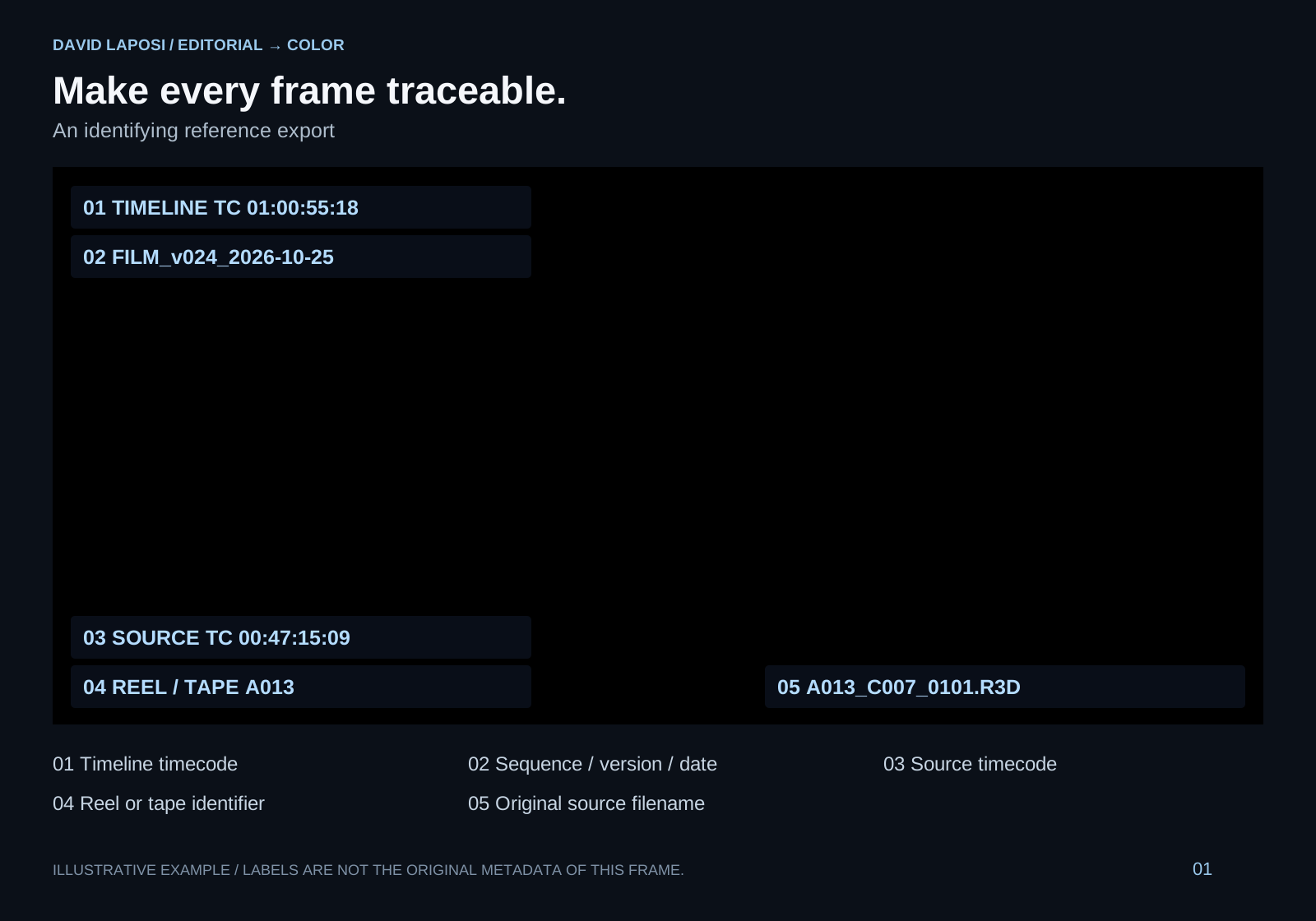
A clear sequence name, version, and date keep us working from the same cut.
Sequence · version · date
The exact moment in your edit.
Timeline timecode tells me where a shot belongs. It also makes feedback precise: we can point to the same frame.
Timeline timecode
A way back to the camera file.
The original filename, source timecode, and reel or tape identifier connect the edited image to its source media.
Filename · source timecode · reel
Illustration using a portfolio frame. No sample timecode is presented as the metadata of this shot.
Show the export details & annotated examples
A lightweight H.264 reference is enough for checking. Keep the original frame rate and aspect ratio. Include timeline timecode, sequence/version/date, source timecode, original filename, and reel or tape information as visible burn-ins.
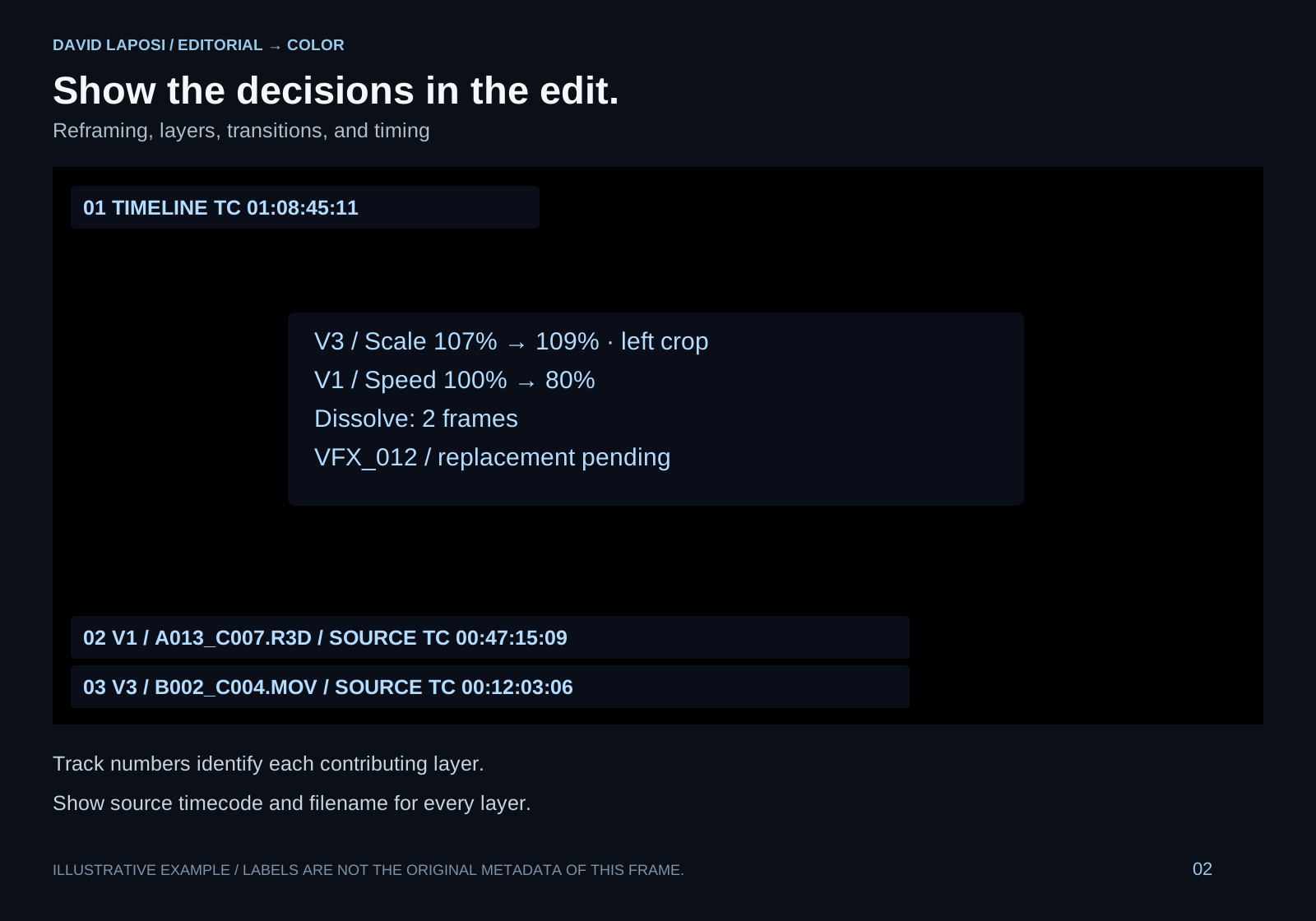
Flag retimes, reframing, transitions, VFX, and shots needing special treatment. With layered effects, identify every contributing track and source. The diagrams use illustrative filenames and timecodes.
ONE ROUTE, AGREED TOGETHER
What goes
in the package?
These are alternatives. We choose the route that fits your project before you export; you do not need to prepare both.
Rebuild the edit from the originals.
The AAF or XML is the map. The camera files are the images. The reference shows how they should fit together.
- Reference videoThe approved edit, with sound and labels.
- Camera originalsThe original media used in this cut.
- AAF / XMLThe edit map from your editing software.
A short noteDelivery formats · deadline · review contact · special shots
Preparing the timeline & camera media
Send an AAF or XML suitable for your editing system. It must describe exactly the same approved cut as the reference.
Work on a duplicate preparation timeline. Flatten multicam edits and nested sequences; remove unused tracks and unnecessary match-frame edits. Preserve original filenames, reel/tape identifiers, and source timecode.
Separate and label VFX, titles, and effects that will not translate reliably. Agree replacement shots, handles, color space, and version names before preparing these elements.
Grade a high-quality, single-file export.
The master contains the images. The EDL marks the cuts. The reference preserves the intended look and effects.
- Reference videoThe same approved edit, with sound and labels.
- Grading masterHigh-quality ProRes or DNxHR, as agreed.
- EDLA cut list matching this exact master.
A short noteDelivery formats · deadline · review contact · special shots
Master settings, effects & transitions
Agree the resolution, bit depth, exact codec, and image pipeline before exporting. Remove temporary creative grading from the grading master unless we agree otherwise; keep the intended look in the reference.
Transitions and retimes may need separate elements or handles, especially when the two sides need different treatment. Discuss VFX and replacement shots with me before the export.
Unsure which route to choose? Tell me what you are editing in, before spending time on an export.
Let’s agree the routeBEFORE YOU SEND
Play it back.
Then pass it on.
The same film, everywhere.
The reference and the AAF, XML, or EDL describe the same cut. Check the duration, first and last frame.
Nothing unexpected in the export.
Watch it with sound. Check framing, frame rate, effects, and any shot that needs special attention.
I know what comes next.
Include delivery formats, deadline, the person reviewing, and known conform issues. If the edit changes, send a clearly named new version and a change list where possible.
A few terms, in plain language
- AAF / XML
- The edit map: which source clip appears where in the timeline.
- EDL
- A cut list that helps locate edit points in the master.
- Handles
- Extra frames before and after a used shot, for transitions and finishing.
- Burn-ins
- Labels on the reference video, such as timecode and source filename.
Budapest. Connected to wherever you are.
Agree the handoff